Turn Tweet to Instagram Post in Seconds
Turn any Tweet into a stunning Instagram post. Convert your best content to capture attention, boost engagement, and drive follower growth.

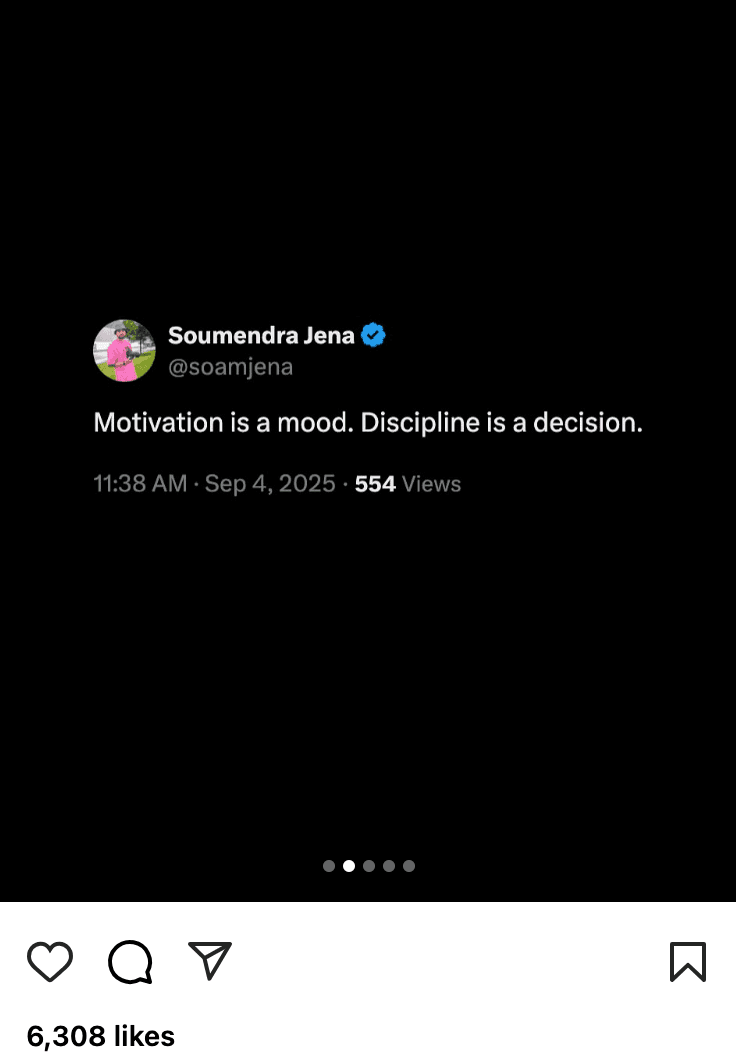

Transform tweets into stunning Instagram posts
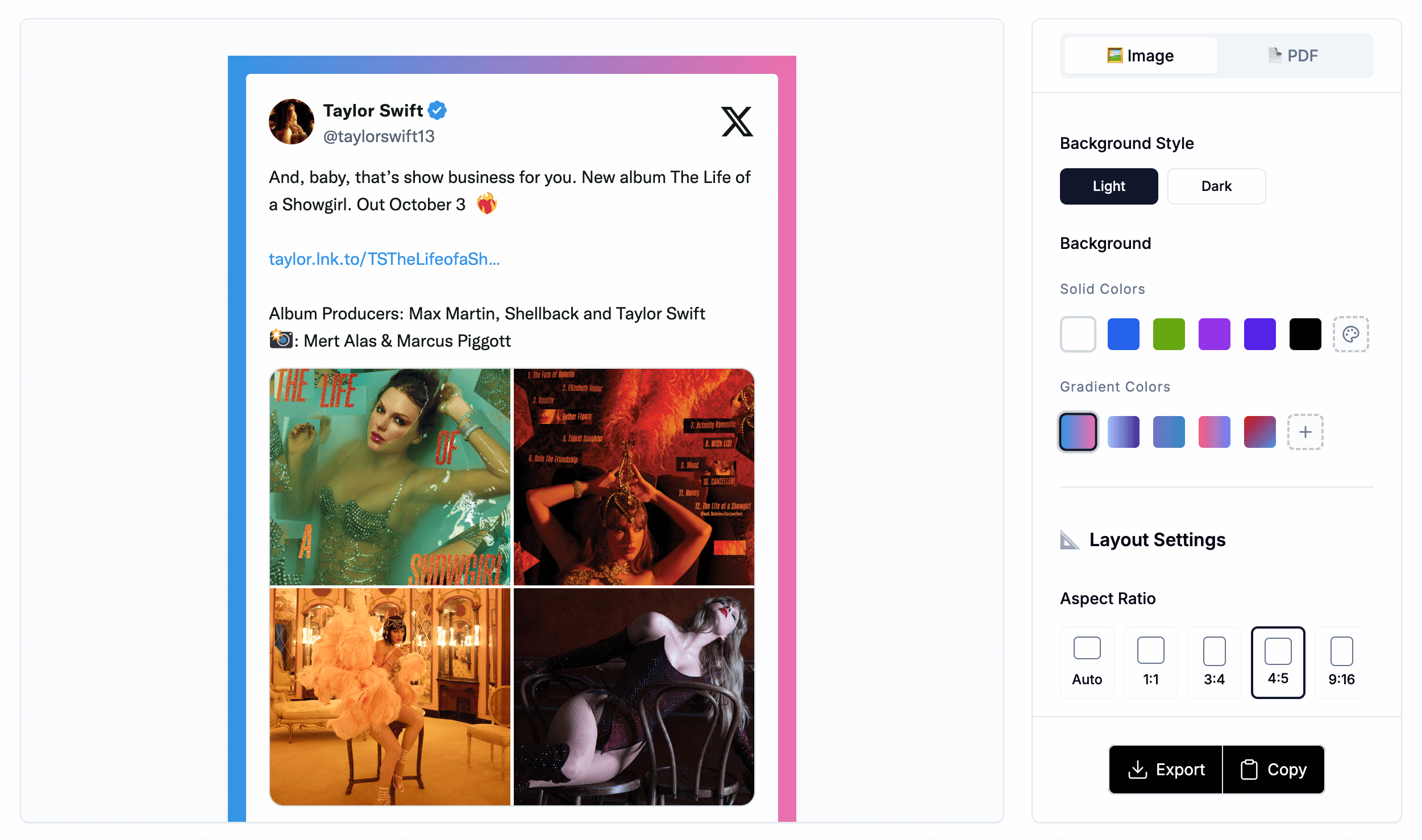
Multiple Themes & Sizes
Rich template library with various aspect ratios to match different social platform requirements
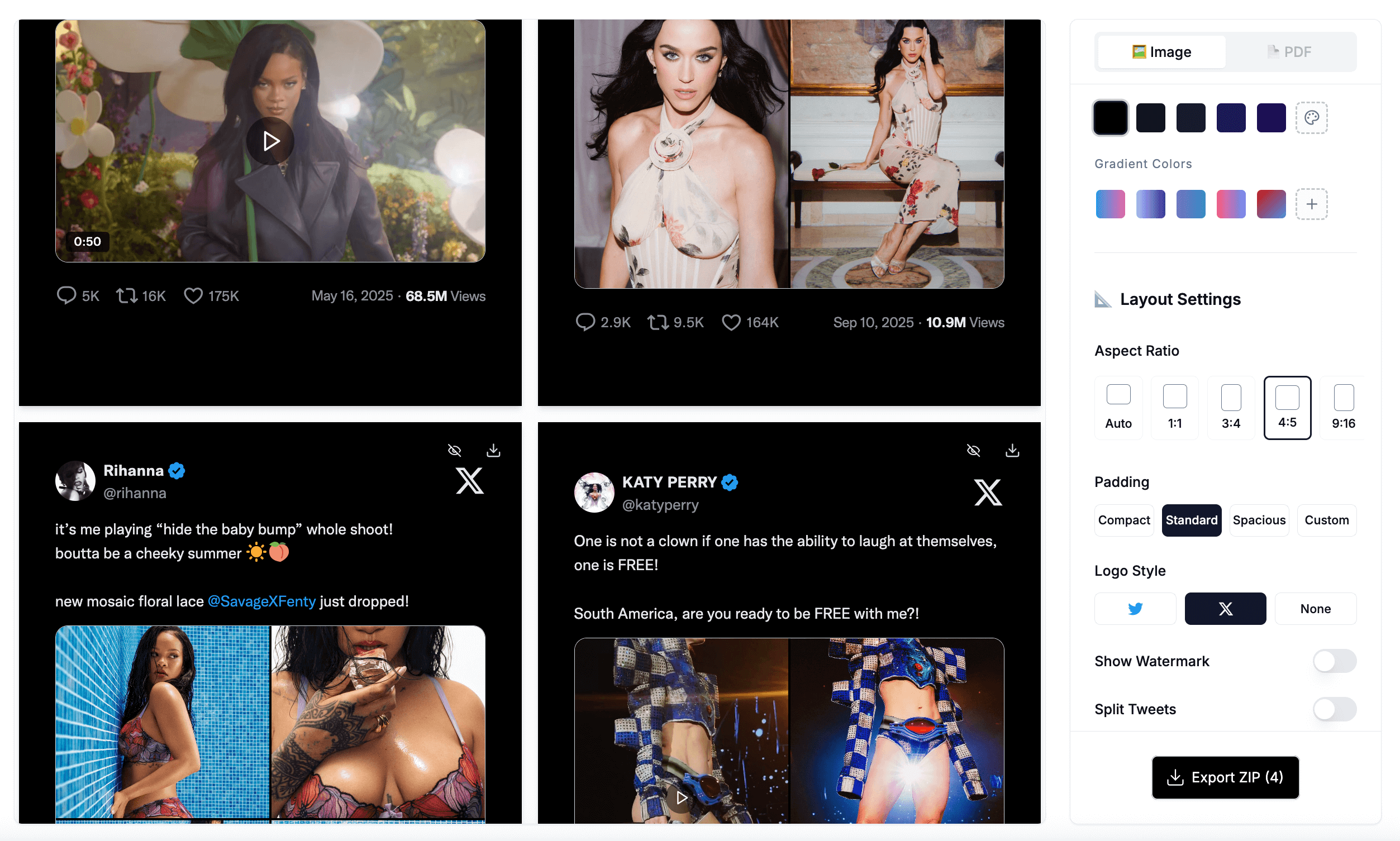
Batch Processing
Efficiently process multiple tweets at once, generate and export all images with one click
Brand Customization
Customize brand colors and logos to maintain consistency and professional appearance
API Integration
Complete API support for seamless integration with automation tools like n8n and Zapier
Generate Tweet Screenshot in 2 minutes
Transform your Twitter content into stunning Instagram posts with our simple 3-step process that maintains your brand consistency.
1. Paste Tweet URL
Copy and paste your Twitter post URL to get started with the conversion
2. Choose Style
Select the perfect aspect ratio and background style for your Instagram post
3. Download & Publish
Download your beautifully formatted image and publish directly to Instagram
Numbers don't lie
See how TwitterShots is transforming social media content creation with proven results across thousands of users worldwide.
Paying customers
100+Content creators, marketers, and businesses trust TwitterShots to elevate their Instagram presence.
Screenshots
23.62KHigh-quality screenshots generated by our community of content creators and businesses, Statistics as of April 30, 2025.
Social Engagement
50K+Combined likes and comments across all Instagram posts created using our platform.
Pricing plans crafted to meet your needs
2 Months Free with Annual Billing
What's included:
What's included:
Everything in Pro:
Why Turn Tweets into Instagram Posts?
Twitter (now X) is where conversations happen, but Instagram is where visual content thrives. Converting your best tweets into Instagram posts lets you repurpose high-performing content across platforms, reaching audiences who may not follow you on X. Screenshots of viral tweets, hot takes, and insightful threads consistently drive high engagement on Instagram because they feel authentic and shareable.
Whether you are a creator building a multi-platform presence, a brand amplifying your message, or a marketer curating industry commentary, turning tweets into Instagram content is one of the fastest ways to maintain a consistent posting schedule without creating content from scratch.
How to Convert Tweets to Instagram Posts
1. Paste the Tweet URL
Copy the URL of any tweet or X post and paste it into TwitterShots. The tool fetches the tweet content, media, engagement metrics, and author details automatically. It works with single tweets, threads, quote tweets, and posts with images or videos.
2. Select Your Instagram Format
Choose the aspect ratio that matches your Instagram content strategy. Use the 1:1 square format for classic feed posts, 4:5 vertical for maximum feed real estate, or 9:16 for Stories and Reels. Customize colors, fonts, and backgrounds to match your brand aesthetic.
3. Export and Upload to Instagram
Download your image in HD quality with no watermark. The file is ready to upload directly to Instagram — no additional editing required. For threads, export each tweet as a separate image to create a seamless carousel post.
Instagram Format Guide for Tweet Screenshots
Recommended size: 1080 x 1080 pixels. The classic Instagram format works best for single tweets and quote tweets. Clean, balanced, and perfect for any type of content.
Recommended size: 1080 x 1350 pixels. Maximizes vertical space in the Instagram feed, making your tweet screenshot larger and more eye-catching as users scroll.
Recommended size: 1080 x 1920 pixels. Full-screen vertical format for Instagram Stories and Reels. Add a gradient background to make the tweet pop on mobile screens.
Upload up to 10 slides per post. Perfect for Twitter threads — each tweet becomes a carousel slide, telling the full story while keeping users swiping through your content.
Turn Tweets into Instagram Stories & Reels
Instagram Stories and Reels are the fastest way to reach new audiences. Converting tweets into 9:16 vertical videos gives your content the native feel that performs best on these surfaces. Stories disappear after 24 hours, making them perfect for time-sensitive takes, hot reactions, and behind-the-scenes commentary. Reels, on the other hand, live forever and can be discovered by users who do not follow you, making them one of the highest-ROI content formats on Instagram.
When converting a tweet for Stories, use a gradient or solid background that matches your brand colors. Place the tweet card in the center of the frame, leaving enough safe space at the top and bottom for Instagram's UI elements (profile picture, reply bar). For Reels, consider adding a subtle motion background or looping ambient video behind the tweet to create a more dynamic viewing experience. Keep the text large enough to read on a phone held at arm's length.
Pro tip: Thread screenshots work exceptionally well as Story sequences. Export each tweet as a separate 9:16 image and upload them as a multi-slide Story. Viewers tap through at their own pace, and you can add polls, questions, or swipe-up links between slides to drive engagement.
Create Instagram Carousels from Twitter Threads
Carousels are Instagram's most engaging feed format. Posts with multiple slides receive significantly higher save and share rates than single-image posts because they encourage users to spend more time with your content. When you convert a Twitter thread into a carousel, each tweet becomes its own slide, creating a natural narrative arc that keeps viewers swiping.
The key to a high-performing thread carousel is the first slide. Use the strongest tweet — the hook — as the cover image. This is what users see in their feed before they decide to swipe, so it needs to stop the scroll. The remaining slides should follow a logical flow: context, main points, supporting evidence, and a final takeaway or call to action. Instagram allows up to 10 slides per carousel, which is perfect for medium-length threads of 5-8 tweets.
For design consistency, use the same theme, background, and font settings across all slides. TwitterShots bulk export feature lets you process an entire thread at once with identical styling, so your carousel looks professionally designed rather than patched together. Use the 4:5 aspect ratio for maximum feed real estate, or 1:1 if you want a classic square look.
Frequently Asked Questions
Everything you need to know about converting tweets to Instagram posts.
How do I screenshot a tweet for Instagram?
Paste your tweet URL into TwitterShots and select an Instagram-optimized format. We support 1:1 feed posts, 4:5 vertical posts, 9:16 Stories and Reels, and multi-slide carousels.
What is the best way to turn a tweet into an Instagram post?
Use the 4:5 ratio for maximum feed visibility, add a subtle gradient background, and match colors to your brand. For threads, export as a carousel with each tweet as a separate slide.
Can I convert Twitter threads into Instagram Carousels?
Yes. Paste the first tweet URL and we capture the entire thread. Export each tweet as a separate image, then upload them as an Instagram carousel post. Up to 10 slides supported.
What aspect ratios work best for Instagram?
1:1 for classic feed posts, 4:5 for maximum vertical feed space, 9:16 for Stories and Reels. All three are built into TwitterShots with one-click selection.
Is the tweet to Instagram converter free?
Yes. The free plan includes 10 conversions per month with no watermark. Pro plans start at $4.99/month for unlimited conversions and advanced branding.
Can I batch process multiple tweets for Instagram?
Yes. Paste up to 30 tweet URLs at once and export them with consistent themes and layouts. Perfect for social media managers and content creators.