Tweet Screenshot Tool with API
One GET request turns a tweet ID into PNG, SVG, or HTML. No Twitter/X API key required — use an X-API-KEY and automate with Zapier, n8n, Make, or AI agents.
OpenAPI: /openapi.yaml · 50 free credits
Simple Integration
One API endpoint to generate beautiful tweet screenshots. Works with any programming language.
- High-resolution screenshots in PNG or JPEG format
- Customizable themes and styling options
- Fast response
curl --location 'https://api.twittershots.com/api/v1/screenshot/1981415642981888505?format=svg&theme=light' \
--header 'Accept: image/svg+xml,image/png' \
--header 'X-API-KEY: YOUR_X_API_KEY'
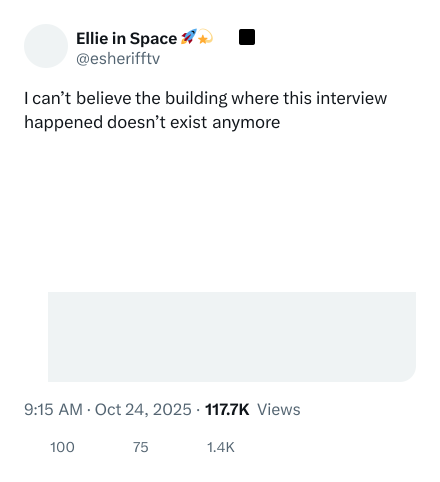
Response
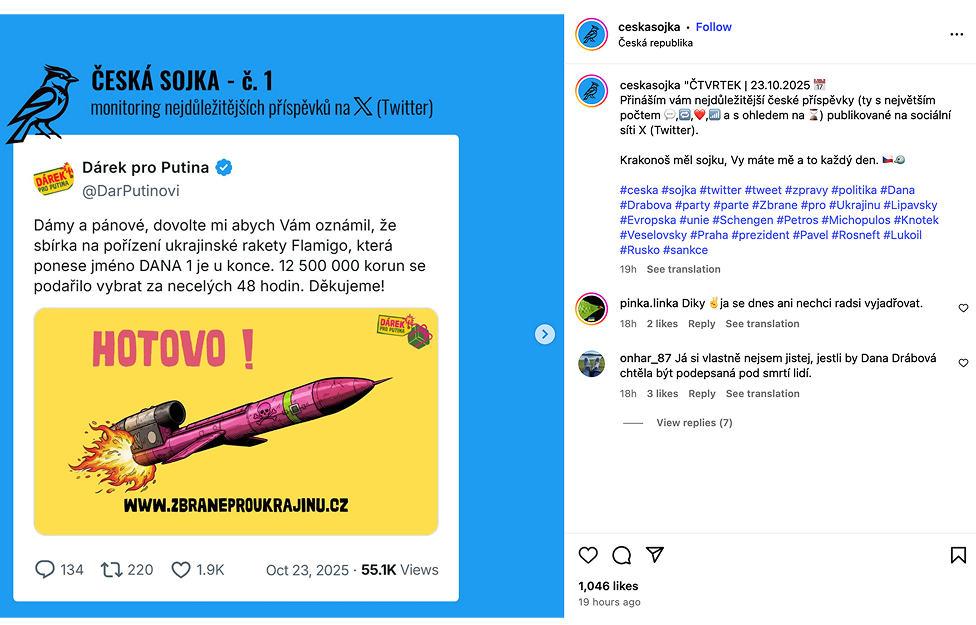
Real Examples from Our Users
See how companies and content creators are using our API to create stunning tweet screenshots
"This API has transformed how we share social proof on our platform. The quality is exceptional and the integration was seamless. We've seen a 40% increase in engagement since implementing tweet screenshots."
Ceska
Content Creator
Built for Modern Teams
From content platforms to automation tools, our API powers tweet screenshots at scale.
Content Platforms
Embed tweet screenshots in articles, newsletters, and blog posts without embedding scripts.
Social Media Tools
Generate tweet screenshots for social media management dashboards and analytics reports.
Automation Workflows
Integrate with Zapier, Make, or custom workflows to automate tweet screenshot generation.
Batch Screenshot Workflows
The TwitterShots API supports bulk processing, allowing you to generate up to 30 screenshots in a single request. This is ideal for newsletter creators who compile weekly tweet roundups, social media managers who archive competitor content, and journalists who preserve evidence threads. Instead of sending 30 individual API calls, you pass an array of tweet IDs and receive a ZIP archive containing consistently styled images.
Batch mode applies the same theme, font, and layout settings to every screenshot in the batch, ensuring visual consistency across your entire collection. This is critical for brand presentations, court evidence bundles, and editorial content where mixed styles would look unprofessional. The Pro+ plan unlocks the full 30-tweet batch limit, while the Business plan offers unlimited throughput for enterprise pipelines.
Common batch workflows include: compiling weekly industry tweet roundups for newsletters, creating swipe files of top-performing competitor tweets, archiving customer testimonials for marketing decks, and preserving viral threads before they are deleted. Each batch job is processed in parallel, so 30 tweets render in roughly the same time as a single screenshot.
Automation & Integration Scenarios
The API is designed for automation. Connect it to Zapier to trigger screenshot generation whenever a specific account posts a new tweet. Link it to n8n to build custom workflows that screenshot tweets matching certain hashtags or keywords. Use Make (Integromat) to automatically generate screenshot galleries from Twitter lists you curate.
For developers, the REST API integrates cleanly into any backend. A Node.js service can poll for new tweets from tracked accounts and generate screenshots on a schedule. A Python data pipeline can screenshot tweets as part of a sentiment analysis workflow, feeding the images into computer vision models. A Go microservice can handle high-volume screenshot requests with minimal latency, leveraging the API's global CDN for fast delivery.
AI developers use the API to generate training datasets. By screenshotting thousands of tweets across different topics, languages, and engagement levels, you can build visual datasets for OCR, content classification, and multimodal LLM fine-tuning. The SVG format is particularly useful here because it preserves text as vector paths, making it easier to extract clean training data.
Newsletter & Editorial Pipelines
Newsletter writers are among the heaviest users of the batch API. Instead of manually embedding tweets (which break when accounts are deleted or suspended), you screenshot them. The result is a permanent visual asset that lives in your newsletter archive forever. Tools like Substack, Beehiiv, and ConvertKit all support inline images, making screenshot-based embeds a reliable alternative to Twitter's native embeds.
Editorial teams use the API to build daily briefing documents. A scheduled script fetches the top 10 tweets from a curated list of sources, generates screenshots with a consistent newsroom theme, and assembles them into a PDF or HTML digest. The entire pipeline runs without human intervention, delivering a morning brief to editors and stakeholders every day at 8 AM.
Choose Your Plan
Select the perfect plan for your needs
Free
Perfect for getting started
- 10 free credits
- Limited screenshot features
- TwitterShots watermark
Pro
Perfect for individual creator workflow
- Unlimited manual screenshots
- 300 API credits/month
- Remove watermark
- Split/unroll thread into images
- Custom background image
- AI-Powered translation
- Save Thread as PDF
Pro+
Perfect for professional power creators
- Everything in Pro plan
- Tweet to Video
- 1,000 API credits/month
- Bulk Screenshot (Up to 30 Tweets at once)
- Custom branding logo
Business
Perfect for teams and agencies
- Everything in Pro+ plan
- 6,000 API credits/month
- Render PNG, SVG, HTML
- Custom branding logo
- Priority human support
Feature Comparison
Compare all features across our plans
| Feature | Free | Pro | Pro+ | Business |
|---|---|---|---|---|
Core Features | ||||
| Manual Screenshots | 5 free screenshots | Unlimited | Unlimited | Unlimited |
| Remove branding | ||||
| Split Thread into Images | ||||
| Save Thread as PDF | ||||
| AI-Powered Translation | ||||
| Bulk Tweet Processing | ||||
| Tweet to Video | ||||
| Custom Background | Unsplash | Unsplash | Unsplash, Paste link, Upload | Unsplash, Paste link, Upload |
| Custom branding logo | ||||
API & Automation | ||||
| Monthly API Credits | 50 (One-time Credits) | 300 / month | 1,000 / month | 6,000 / month |
| Output Formats | PNG, SVG, HTML | PNG, SVG, HTML | PNG, SVG, HTML | PNG, SVG, HTML |
Support | ||||
| Support | Community | Priority Human Support | Priority Human Support | Priority Human Support |
| Choose Your Plan | ||||
Free
Core Features
API & Automation
Support
Pro
Core Features
API & Automation
Support
Pro+
Core Features
API & Automation
Support
Business
Core Features
API & Automation
Support
Trusted by Real People on X
See what real users are saying about our API.
Frequently Asked Questions
Everything you need to know about our tweet screenshot API
What is the TwitterShots API?
The TwitterShots API is a RESTful API that allows you to generate tweet screenshots programmatically. It supports PNG, SVG, and HTML formats with custom themes, and handles batch processing for up to 30 tweets per request.
How do I get started with the TwitterShots API?
Sign up for a free TwitterShots account and generate your API key from the settings page. The free plan includes API credits for testing. Send a GET request to the screenshot endpoint with your API key and a tweet statusId to receive a rendered image.
How does the tweet screenshot API work?
Send a GET request to the API endpoint with the tweet URL or statusId. The API fetches the tweet data, applies your chosen theme and parameters, and returns a high-quality screenshot. You can customize format, theme, logo style, and visibility of stats and timestamps.
What image formats are supported?
Our API supports PNG for high-quality bitmap output, SVG for lossless scalable graphics, and HTML for raw rendering. PNG is ideal for social media sharing, SVG works best for web applications, and HTML is perfect for custom styling pipelines.
Can I customize the screenshot appearance?
Yes. You can customize themes (light or dark), logo style (X, bluebird, or none), and toggle visibility of timestamps, view counts, and engagement stats. Pro and Business plans unlock additional branding and styling options.
Does the API support batch screenshot?
Yes. The bulk API endpoint accepts up to 30 tweet IDs in a single request and returns a ZIP archive of consistently styled screenshots. This is perfect for newsletter roundups, competitor analysis, and content archiving workflows.