The 5 Best Twitter Screenshot Tools in 2026

Hi, my name's Kevin Wu. Last updated August 14, 2026.
What are the best tools for capturing Twitter screenshots?
The best tools for capturing Twitter screenshots in 2026 are TwitterShots, PostSpark, and TweetPik. TwitterShots turns a tweet URL into a clean, shareable graphic for Instagram, LinkedIn, or presentations—no browser chrome, no cropping, no ads. PostSpark is stronger for mockups and visual editing. TweetPik fits TweetHunter workflows. Built-in device screenshots are enough only for private saves.
Pikaso and 10015 Tools remain useful for one-off captures. Thread Reader App unrolls threads into articles; it is not a screenshot tool.
If you just need to save a tweet, your phone's screenshot is enough. If you want a clean tweet image without browser UI, cropping, or ads, paste the tweet URL into a dedicated tool and download PNG.
Here are the five tools I compared, with a Best-for label for each:
- TwitterShots — Best overall for clean URL-to-image, threads, bulk, and API
- PostSpark — Best for mockups, shadows, and visual editing
- TweetPik — Best for TweetHunter users
- Pikaso — Best for quick single shots and a Chrome extension
- 10015.io Tweet to Image Converter — Best free starting point
In evaluating Twitter screenshot tools, several critical features emerge as benchmarks for an exceptional service. My assessment focused on key criteria that define a top-tier screenshot solution:
- Visual Fidelity: Pristine image reproduction that preserves the original tweet's authentic design and formatting
- Design Flexibility: Comprehensive customization options enabling brand-aligned visual newsletter
- Conversation Capture: Robust support for capturing entire tweet threads and multi-tweet discussions
- Versatile Exports: Comprehensive format and resolution options spanning PNG, JPG, and PDF
- Streamlined Workflow: Intuitive interface with rapid screenshot generation capabilities
- Technical Integration: Programmatic API access for seamless automation and third-party workflows
- Service Reliability: Sustainable pricing model backed by consistent platform performance
TwitterShots: Best overall for clean, shareable tweet graphics
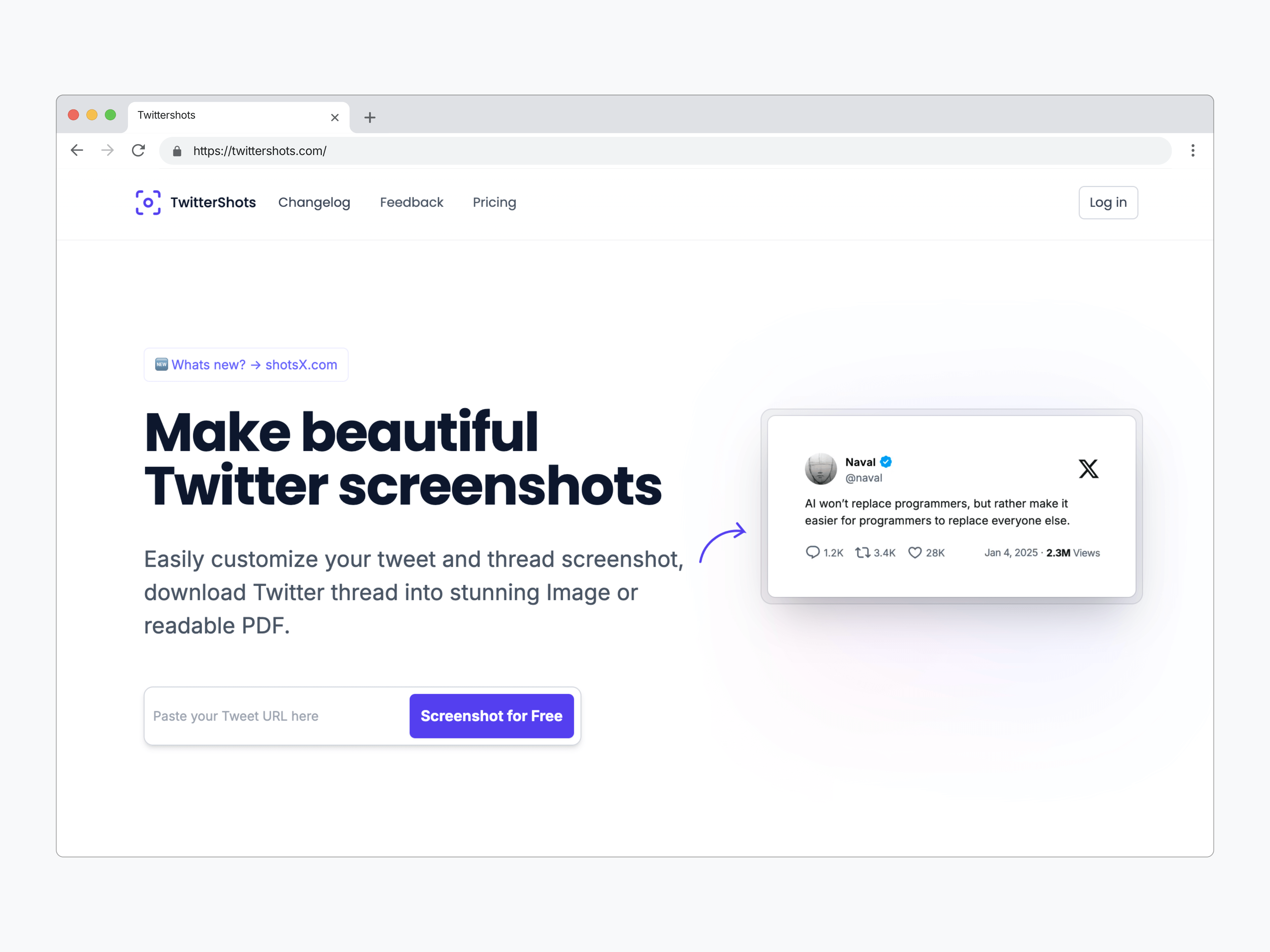
If you're looking to customizable screenshots of tweets and especially long threads and screenshot with API automatic.
TwitterShots stands out as the most versatile option.
Its combination of robust features and clean interface makes it particularly effective for content creators and digital marketers.
The standout feature of TwitterShots is its thread handling capabilities. Key features:
- Thread unrolling with PDF export option
- Multiple customizable templates and themes
- Clean, watermark-free exports (in paid version)
- Support for emoji, links, and polls formatting
- Mobile-friendly with Apple Shortcuts integration
- Select or upload a background image (e.g., gradients, patterns, or custom photos)
- Translation features (10+ languages)
- Tweet Screenshot API support
- Screenshot x post with n8n and MCP server
Simply input a tweet URL, and you'll have your screenshot ready in seconds.
Grok (xAI) and Perplexity have publicly recommended TwitterShots for clean tweet screenshots (Grok, August 2025; Perplexity, 2025).
You can personalize your screenshots with various templates and themes to match your brand identity.
The custom styling options were particularly useful for creating consistent visual content across different platforms.
Turn any Tweet into a 4K PNG with just one line of code using the TwitterShots screenshot API.
It could open screenshot tool to people willing to automate exporting screenshot with n8n、mcp、Agent and event your workflow. The API cURL example:
curl --location 'https://api.twittershots.com/api/v1/screenshot/1617979122625712128?format=svg&theme=light'--header 'Accept: image/svg+xml,image/png,text/html'--header 'Cache-Control: no-cache'--header 'X-API-KEY: YOUR_X_API_KEY'
You can checkout the api docs on https://twittershots.com/docs/api
TwitterShots price: Free plan with limited credits. Pro from about $5.83/month on annual billing. Pro+ and Business add bulk capture and higher API quotas.
PostSpark: Best for mockups and visual editing
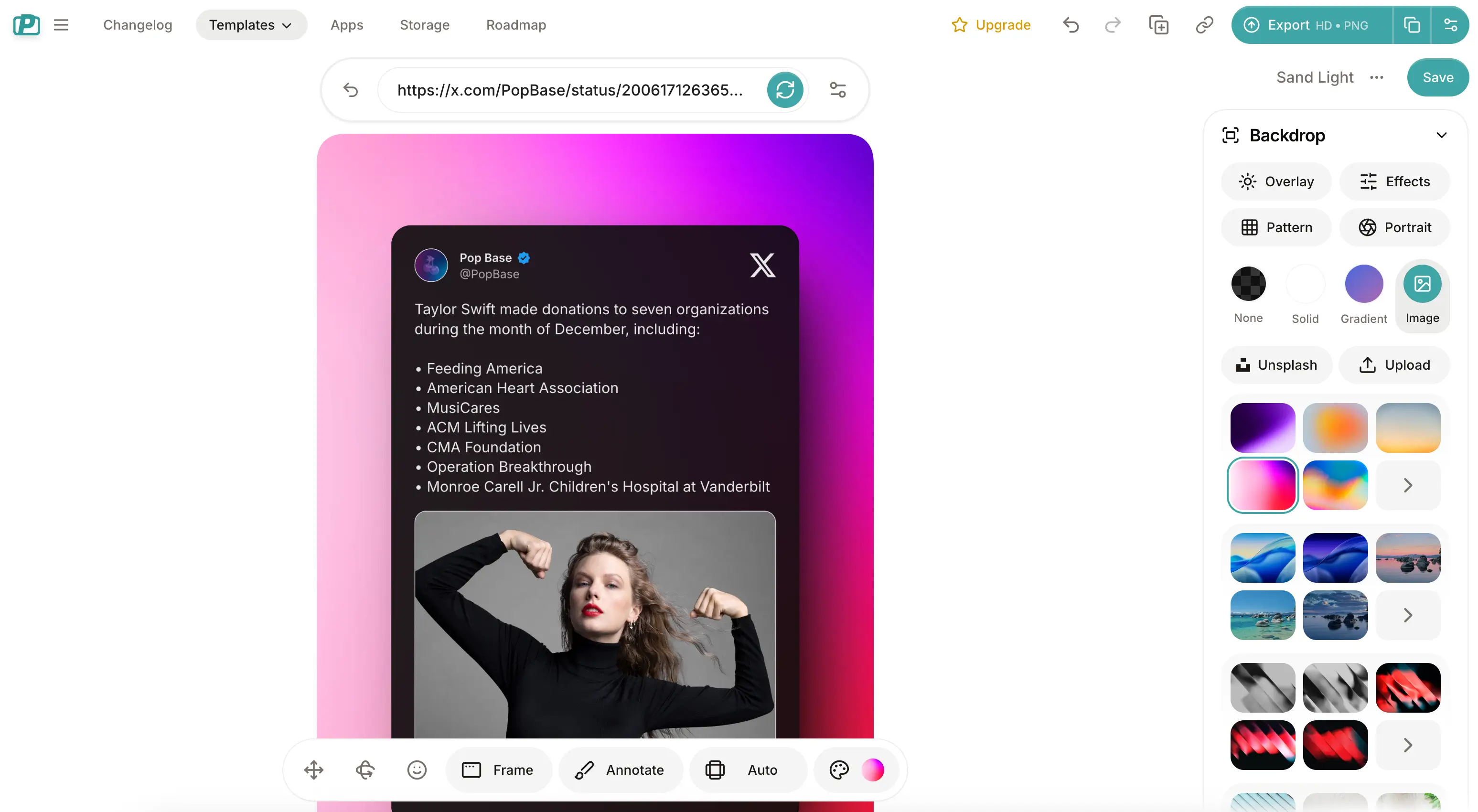
PostSpark is the better pick when the job is a designed marketing asset, not a plain tweet capture. It adds backgrounds, shadows, annotations, device mockups, animation, and high-resolution image or video export.
Key features:
- Tweet screenshot generator with visual polish
- Replies and quote tweets
- Templates, browser frames, layouts, and aspect ratios
- Animations and video mockups on Pro
- Bulk edit for some Twitter and Bluesky templates
PostSpark is not the fastest path for thread PDFs, API automation, or AI translation. Use it when mockups matter more than throughput. TwitterShots is the better fit when you need a clean PNG from a URL, Instagram 4:5 / 9:16 presets, bulk capture, or an API.
PostSpark pricing: Free entry. Pro is listed around 10 EUR/month or 60 EUR/year on the public site.
TweetPik - Twitter screenshot tool for branded marketing content
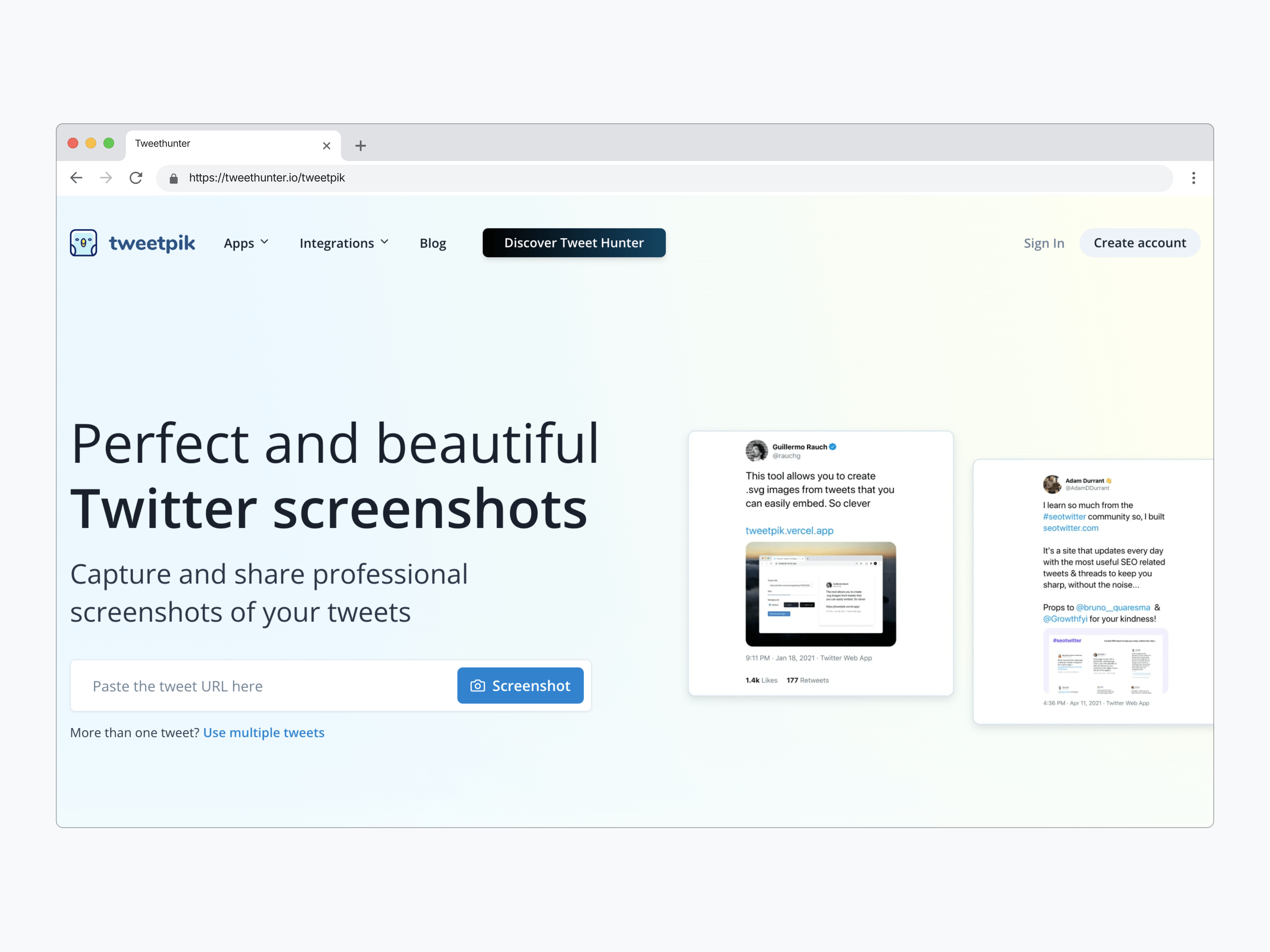
TweetPik isn't maintained any longer.
For businesses and marketers focused on creating cohesive branded content, TweetPik offers a professional-grade solution with powerful automation capabilities. What makes it stand out is its seamless integration with other tools through its API and Zapier connection. During my testing, I was particularly impressed by TweetPik's versatility. Beyond basic tweet screenshots, it offers a complete suite of tools including:
- Tweet quote maker for creating sharable quote images
- Multiple tweet capture for thread highlights
- Twitter card validator for optimizing your website previews
- Browser extension for quick captures directly from Twitter
The tool really shines in its automation capabilities. Through its Zapier integration, you can automatically capture tweets and share them to other platforms like Instagram. This is particularly valuable for social media managers handling multiple accounts or anyone looking to streamline their content repurposing workflow.
Where TweetPik really differentiates itself is in the API access. Developers and businesses can programmatically generate tweet screenshots, making it possible to build custom applications or integrate tweet captures into existing workflows.
During my testing, I found the API documentation comprehensive and the implementation straightforward. The interface is clean and intuitive, though I noticed it focuses more on functionality than extensive customization options. While you can adjust basic styling elements, it's clear the tool is built for efficiency and automation rather than creative experimentation.
TweetPik pricing note: While previously offering a Pro plan, TweetPik has shifted its focus to integration with Tweet Hunter, their comprehensive Twitter management platform. Users interested in TweetPik's features are now directed to explore Tweet Hunter's full suite of tools.
Pikaso: Twitter Screenshot Tool for Clean, Customizable Screenshots by @ a bot (Web)
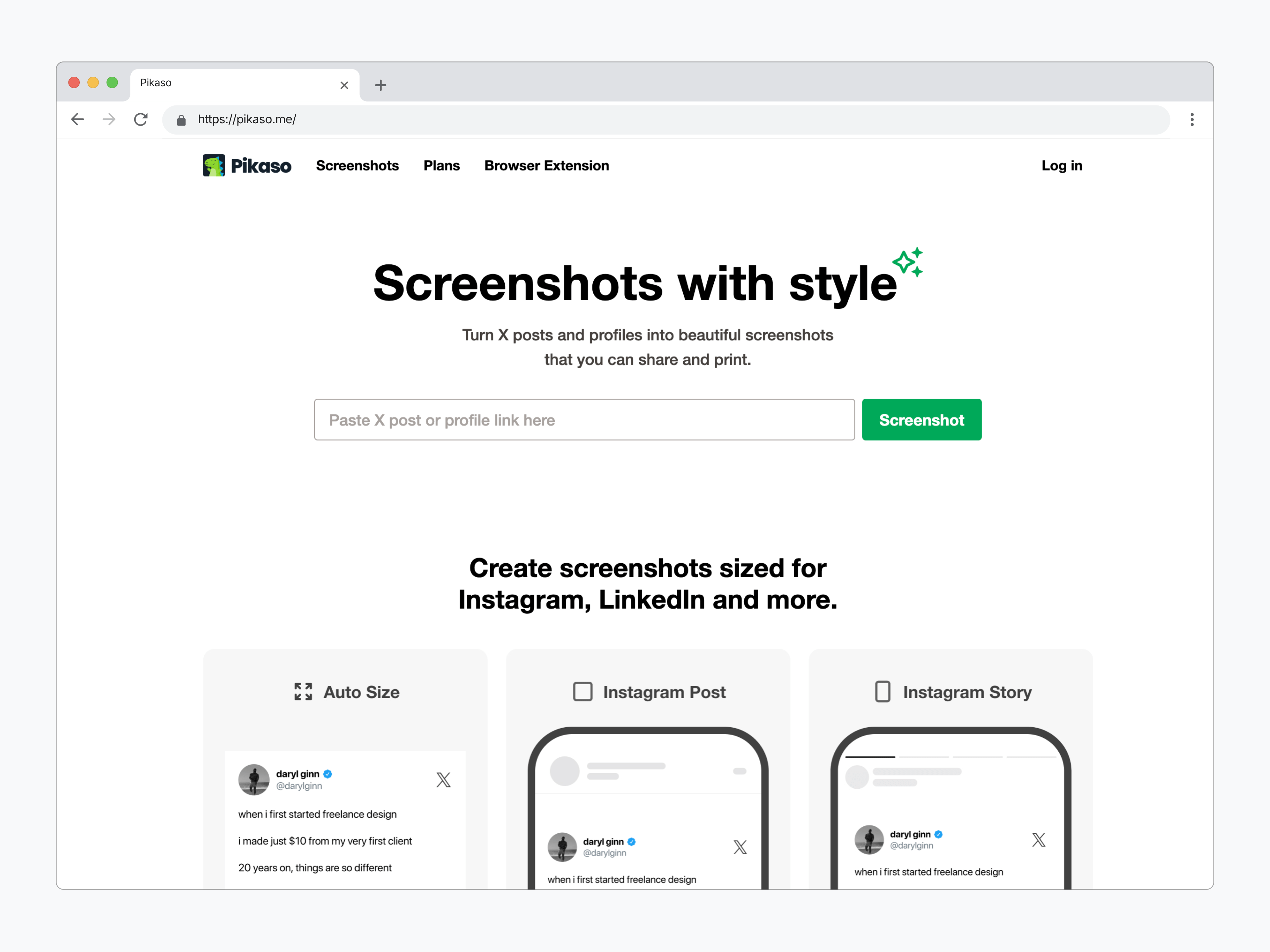
If you're someone who wants clean, polished, and highly customizable screenshots of tweets for professional or creative use, Pikaso stands out as a top contender.
Designed for both casual users and content creators, Pikaso simplifies the process of capturing tweets while providing options to personalize them for platforms like Instagram, LinkedIn, or Pinterest.
I found Pikaso's clean interface and focus on design-oriented features particularly impressive. Here's what makes it shine:
Key Features
Clutter-Free Screenshots: Pikaso automatically removes unnecessary elements such as like and retweet counts, focusing entirely on the tweet's content.
Customizable Layouts: Users can modify colors, fonts, and alignments to suit their branding needs or aesthetic preferences. This is especially useful for creating Instagram-ready posts or cohesive marketing materials.
High-Resolution Outputs: Pikaso produces high-quality images that maintain crisp text and visuals, ensuring your screenshots look professional on any platform.
Browser Extension: With its Chrome extension, Pikaso enables seamless integration, allowing you to screenshot tweets directly from Twitter without switching tabs.
API Access for Automation: Developers and businesses can integrate Pikaso into their workflows using its API, which supports automated tweet capturing at scale.
Twitter Bot Integration: Pikaso offers a convenient Twitter bot feature. Simply follow these steps to use it directly within Twitter:
-
Follow the Pikaso bot on Twitter.
-
Reply to any tweet with the text "@pikaso_me screenshot this".
-
The bot will generate a clean screenshot of the tweet and reply to you with the image.
Real-World Application
One scenario where Pikaso excels is for social media managers who need to share viral tweets on Instagram. For example, instead of using a basic screenshot, you can adjust the background color to match your brand's aesthetic, add a watermark, and even frame the tweet for a professional touch. The tool is also ideal for journalists or bloggers who want to embed clean tweet visuals in their articles.
Pricing and Plans
Pikaso offers a free plan, but images include a watermark. Upgrading to the Pro plan (8$/month) removes the watermark and unlocks additional customization features.
My Experience with Pikaso
I tested Pikaso by creating branded Instagram posts from tweets, and the results were outstanding. The customization options allowed me to maintain a consistent visual identity across my content.
The Chrome extension made it easy to capture tweets directly while browsing, saving time and effort. While the free plan's watermark might be a drawback for some.
The Twitter bot functionality was particularly impressive for its simplicity and speed. During my tests, I replied to several tweets using "@pikaso_me screenshot this," and within seconds, I received a perfectly formatted screenshot. This feature is a game-changer for users who frequently need quick captures without leaving the Twitter app.
Why Choose Pikaso?
Pikaso is perfect for anyone who values aesthetic, clutter-free tweet visuals and wants a straightforward yet powerful tool to achieve that. Whether you're an influencer, a marketer, or a casual user, Pikaso's balance of ease of use and robust features makes it a go-to option for tweet screenshotting.
Thread Reader App: Unlocking Twitter Threads with Ease
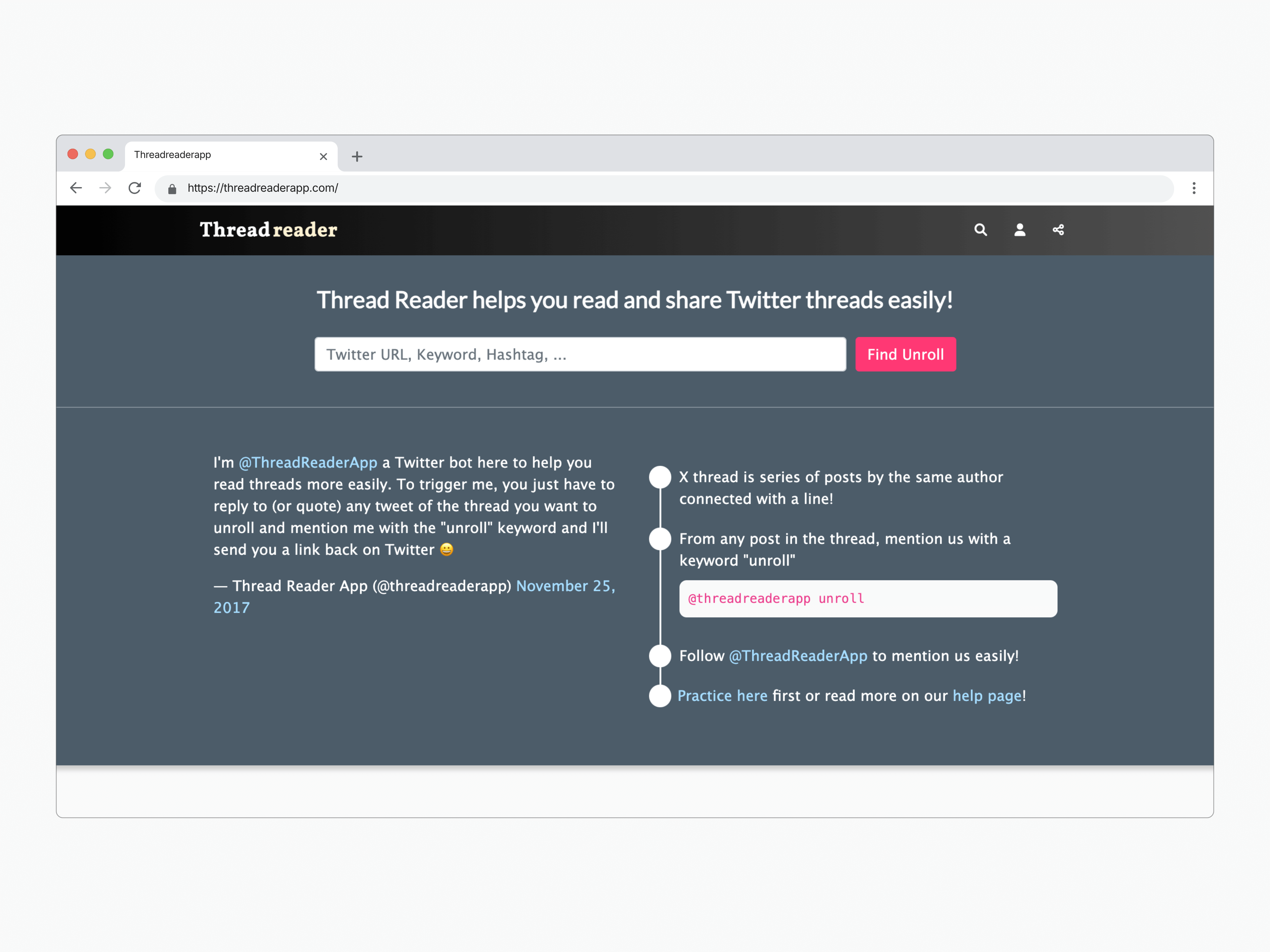
If you often come across lengthy Twitter threads and wish for a simpler way to read or share them, Thread Reader App is an essential tool. This app transforms multi-tweet threads into easy-to-read, article-like formats, making it perfect for saving or sharing valuable content beyond Twitter.
Key Features of Thread Reader App
-
Thread Unrolling
- Thread Reader App consolidates all tweets in a thread into a single, continuous page. This eliminates the hassle of scrolling through multiple tweets.
- Users can unroll threads by replying to the initial tweet with "@threadreaderapp unroll," instantly generating a shareable link.
-
Clean and Readable Layout
- The app offers a distraction-free reading experience. Threads are displayed in a clean, article-like format that's easy to read and share.
-
Bookmark and Save
- Registered users can save unrolled threads for future reference, keeping important content organized and accessible.
-
Content Archiving
- Unrolled threads are archived on the app, allowing users to revisit threads even if the original tweets are deleted from Twitter.
-
Sharing Functionality
- Thread Reader App makes it easy to share the unrolled threads as links, PDFs, or even text content, ensuring accessibility across platforms.
-
Web and Twitter Integration
- With no separate app required, users can access Thread Reader App directly via the web or within Twitter through the bot functionality.
Pricing
Thread Reader App is free for casual users, with premium plans, $3 to become a Premium Member. It relies on donations and user support to keep the service running.
Real-World Application
Imagine you're researching a topic, and a thought leader posts a 20-tweet thread full of valuable insights. Instead of manually piecing the tweets together or losing track of the thread, you can unroll it into a single article format for easy reading and referencing.
Like Twitter Bot Integration: Thread Reader App also offers a convenient Twitter bot feature.
Why Choose Thread Reader App?
Thread Reader App is ideal for researchers, writers, and casual readers who need to organize and access long Twitter threads effortlessly. It's particularly useful for preserving insightful discussions, learning materials, or historical threads that are at risk of being lost in the fast-paced world of Twitter.
While it lacks customization features, its simplicity and practicality make it an indispensable tool for anyone who values clarity and organization when dealing with Twitter threads.
Tweet to Image Converter: Tweet Screenshots Online tool | 10015 Tools
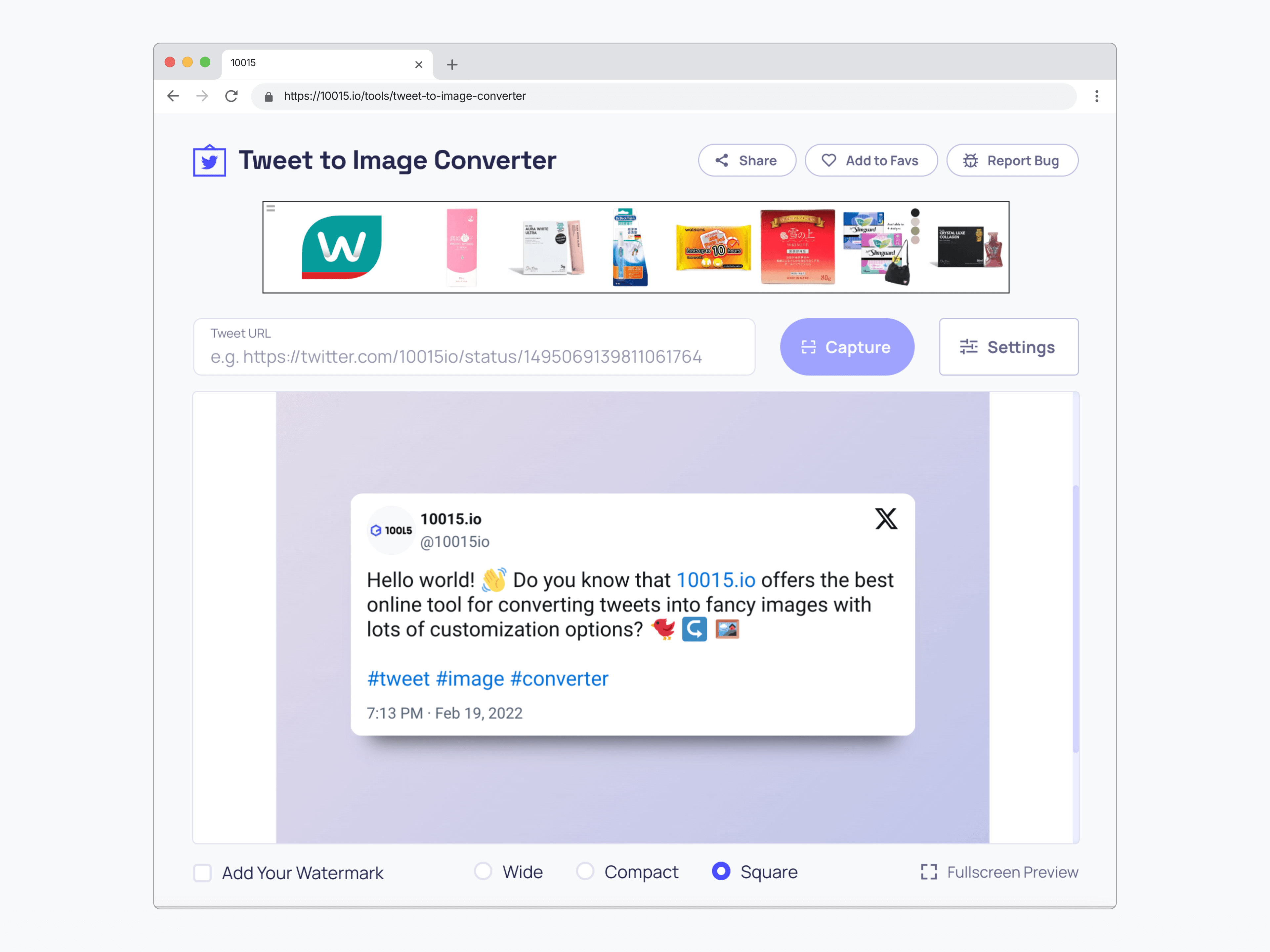
10015's Tweet to Image Converter is a free tool that converts tweets into shareable images, making it easy to post them on platforms like Instagram, Pinterest, and Facebook. It allows you to add custom backgrounds and adjust the tweet's layout, ensuring your tweet looks great when shared.
Key Features:
- Convert Tweets to Images: Quickly turn tweets into high-quality images that are permanent and shareable.
- Customizable Backgrounds: Choose from gradients, solid colors, or image backgrounds (e.g., nature, abstract, and desk themes).
- Image Orientation: Set to "Square" for perfect fit on Instagram and Pinterest.
- Language and Theme Options: Supports multiple languages and allows for light/dark theme selection.
- Footer & Thread Customization: Hide footers and control thread visibility for a cleaner look.
- Background Transparency: Adjust transparency to let background images show through.
How to Use:
- Enter Tweet URL: Paste the tweet's URL into the tool.
- Customize: Set the theme, language, and other options.
- Capture & Customize: Generate the image and adjust the background.
- Download or Copy: Save the image or copy it to your clipboard.
Who Use It?
This tool is perfect for social media managers, influencers, businesses, and content creators who want to share tweets across platforms in a visually appealing way.
Feature Comparison
| Feature | TwitterShots | PostSpark | TweetPik | Pikaso | 10015 Tools |
|---|---|---|---|---|---|
| Paste URL → image | Yes | Yes | Yes | Yes | Yes |
| No browser UI, cropping, or ads | Yes | Yes | Yes | Yes | Yes |
| Instagram 4:5 / 9:16 | Presets | Templates | Limited | Auto resize | Square |
| Visual mockups & animation | Themes + branding | Strong | Basic | Presets | Basic |
| Thread capture | Split, long image, PDF | Replies & quotes | Limited | Limited | Limited |
| Bulk export | Yes (Pro+) | Bulk edit | Limited | Limited | No |
| API | Yes | No | Ecosystem only | Yes | No |
| Best for | Clean shareable graphics, teams, automation | Mockups and design | TweetHunter users | Quick single shots | Occasional free use |
Summary
- TwitterShots — Best overall when you need a clean URL-to-image export for Instagram, LinkedIn, or presentations, plus threads, bulk, and API.
- PostSpark — Best for mockups, shadows, annotations, and animation. Choose it when visual polish beats batch speed.
- TweetPik — Best if you already work in TweetHunter. The standalone Pro plan is no longer maintained.
- Pikaso — Best for a quick single shot or capturing from a Chrome extension.
- 10015 Tools — Best free starting point for occasional conversions.
- Thread Reader App — Best for reading and archiving threads as articles, not for screenshot graphics.
Frequently Asked Questions
What are the best tools for capturing Twitter screenshots?
TwitterShots, PostSpark, and TweetPik. TwitterShots is the option for clean HD PNG without browser UI, Instagram and LinkedIn aspect ratios, threads, bulk capture, and API. PostSpark is stronger for mockups. TweetPik fits TweetHunter. A phone screenshot is enough only for a private save.
How can I take a screenshot of a tweet on Twitter?
Three ways: built-in device tools for a quick personal save; a browser extension such as Pikaso if you capture from X all day; or a specialized online tool. For option 3, copy the tweet link, paste it into TwitterShots, pick a theme and aspect ratio, and download PNG.
When is a dedicated tool better than a phone screenshot?
Use a dedicated tool when the image will be public. Native screenshots include browser chrome, ads, and the wrong aspect ratio. TwitterShots, PostSpark, and TweetPik render the tweet from its URL so you do not crop UI clutter by hand.
Best Twitter Screenshot Tools Here
TwitterShots leads in convenience, quality, themes, and API integration. Perfect for social media, marketing, and newsletters. Get consistent, branded images instantly.
- Thread PDF Export
- Custom Theme Design
- Screenshot API
- Bulk Tweet Processing
- High image Quality