Integrations
Use TwitterShots with Claude, Cursor, and other MCP-compatible applications.
- Integration Link (Local): https://github.com/twittershots/twittershots-mcp
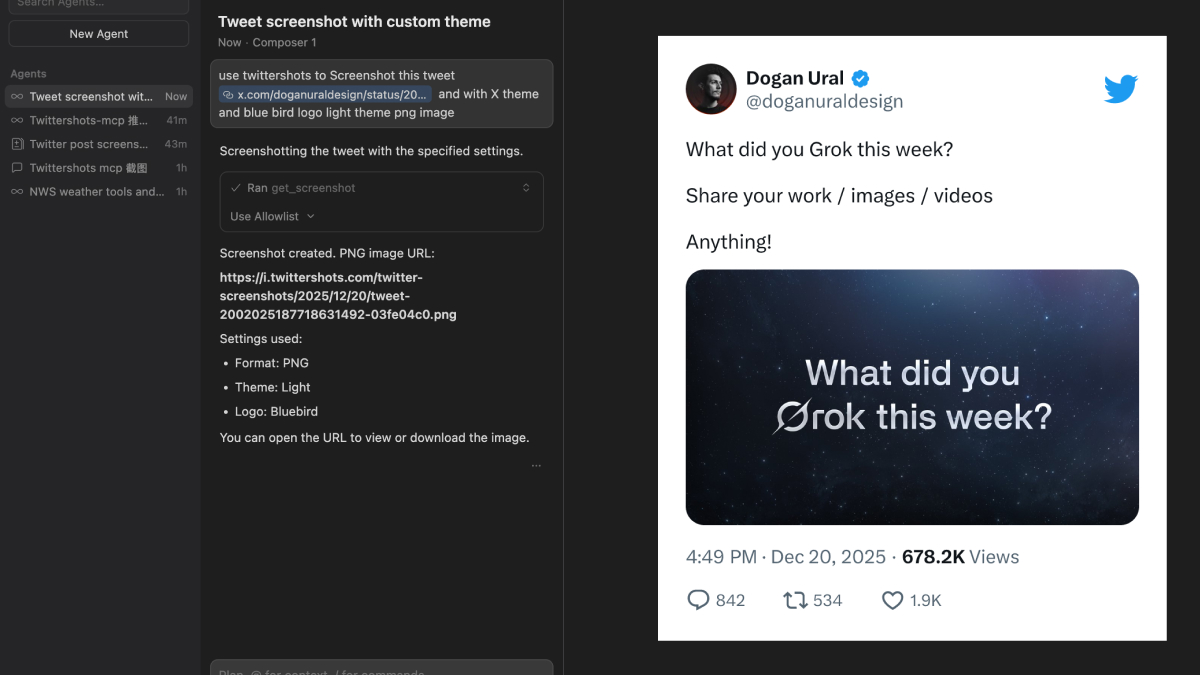
Introduction
The TwitterShots Model Context Protocol (MCP) Server allows you to generate beautiful Twitter/X tweet screenshots directly within AI applications. Simply provide a tweet URL or ID through natural language, and the server handles the rest.
Actions Available
- get_screenshot: Generate tweet screenshots in SVG, PNG, or HTML formats.
- get_usage: Check your current API quota, remaining requests, and usage limits.
- Customization: Toggle dark/light themes, show/hide timestamps, views, stats, and choose logo styles (X, Bluebird, or None).
How to Use
1. Get Your API Key
- Visit TwitterShots Account Settings.
- Navigate to Account Settings > API Key.
- Copy your API key for configuration.
2. Install and Configure
Option A: Local Server (Node.js)
- Clone the repository: git clone git@github.com:twittershots/twittershots-mcp.git
- Install & Build: npm install && npm run build
- Configure Claude Desktop (claude_desktop_config.json):
{
  "mcpServers": {
    "twittershots": {
      "command": "node",
      "args": ["/path/to/twittershots-mcp/build/index.js"],
      "env": { "TWITTERSHOTS_API_KEY": "your-api-key-here" }
    }
  }
}
Option B: Remote Server (Vercel/Cloud)
Add the following to your MCP client configuration:
{
  "mcpServers": {
    "twittershots": {
      "url": "https://your-server.com/mcp",
      "headers": { "X-API-KEY": "your-api-key-here" }
    }
  }
}
3. Start Using with Natural Language
- "Use twittershots to screenshot this tweet: [URL] in dark mode"
- "Generate a screenshot of tweet ID 2002397336803348716 with the bluebird logo"
- "Show me my current twittershots API usage"
- "Create a light theme screenshot without views or stats"
Need Help?
Contact support via twittershots.com/help or check the GitHub repository for documentation updates.