Custom branding for Pro+ and Business

Branded Tweet Screenshot Generator With Your Logo

Create a clean tweet screenshot with your logo, brand name, and visual style. Build consistent X/Twitter images for Instagram, newsletters, client work, presentations, and social proof.
  • Custom logo
  • Brand text
  • Live preview
  • Reusable settings
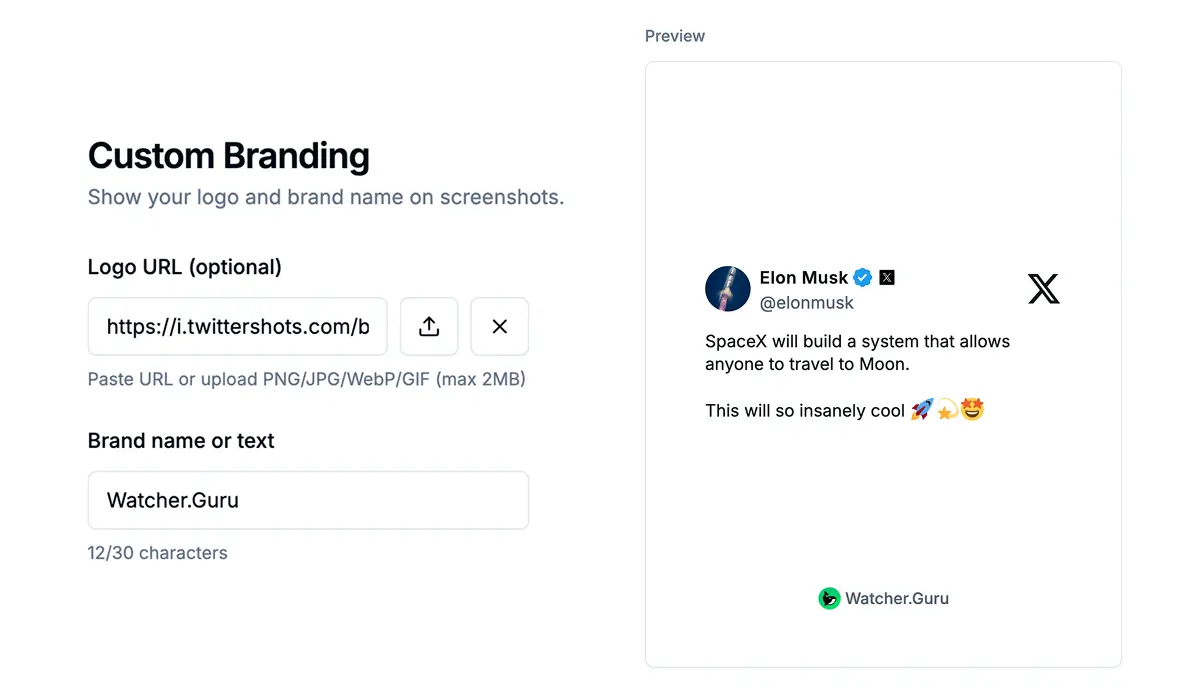
TwitterShots custom branding settings showing a logo and brand name on a tweet screenshot preview

Branded screenshot showcase

See custom branding in real exports

Add the same logo and brand name to light or dark tweet screenshots while keeping the original post easy to read.


The Hill tweet screenshot branded with the Watcher.Guru logo
The Information tweet screenshot branded with the Watcher.Guru logo

Direct answer

What is a branded tweet screenshot?

A branded tweet screenshot is a rendered image of an X/Twitter post with your logo and optional brand name added around the post. It preserves the original tweet while giving the exported image a consistent identity for publishing across social media, newsletters, client reports, and marketing pages.

Brand controls

Make every custom Twitter screenshot feel like your brand

Save a consistent logo treatment once, preview it against a rendered post, and reuse it across eligible exports.

Upload your own logo

Use a PNG, JPG, WebP, or GIF logo up to 2MB. A transparent PNG usually gives the cleanest result.

Add your brand name

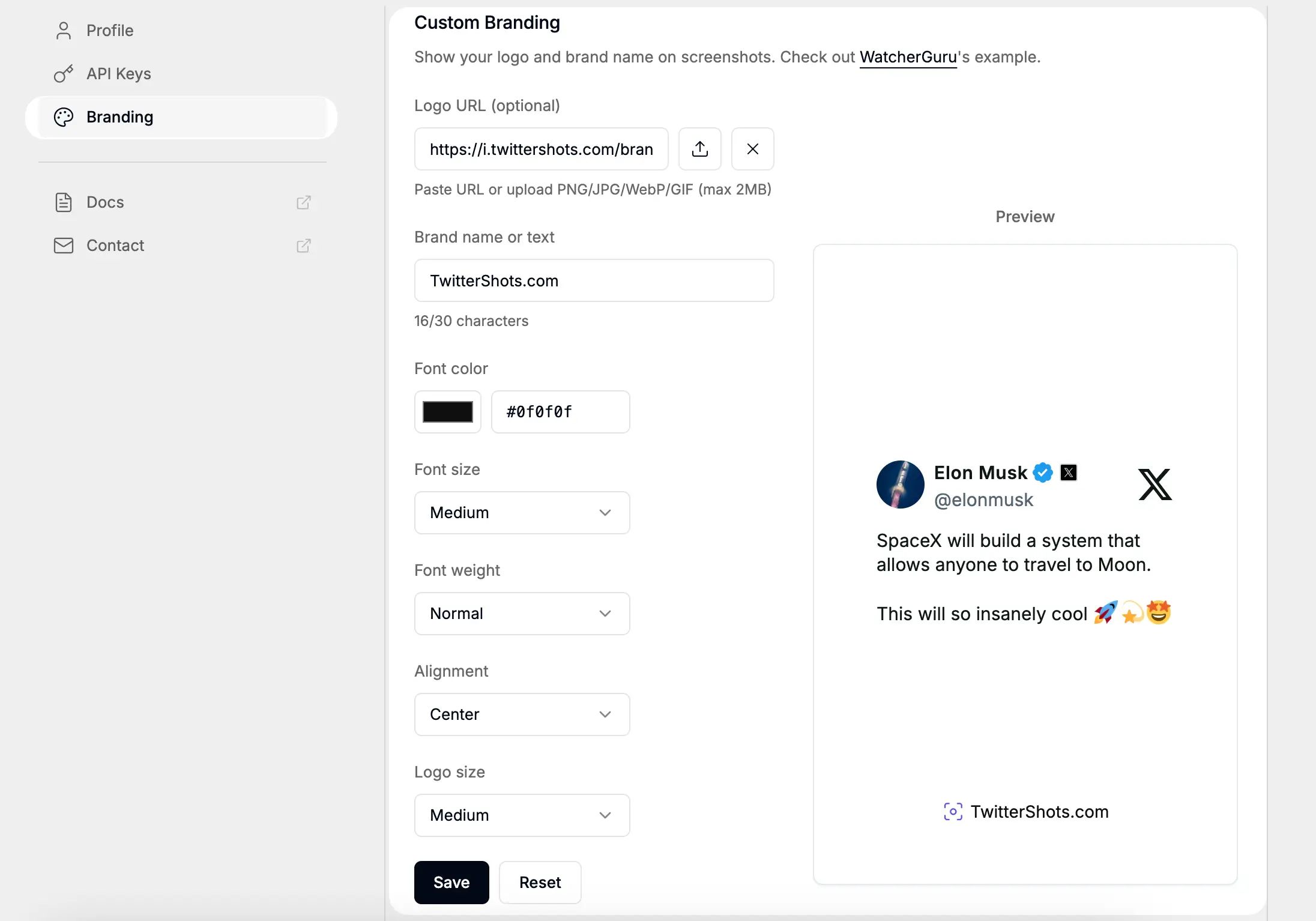
Add up to 30 characters of brand text, then control its color, size, weight, and alignment.

Match your visual identity

Choose a light or dark tweet theme and pair it with a background that fits your brand palette.

Size it for every channel

Prepare square, portrait, vertical, or landscape images for Instagram, TikTok, newsletters, and decks.

Custom Twitter screenshot branding panel with logo, brand text, font controls, alignment, and preview

Preview before export

Control the logo without covering the tweet

A good tweet screenshot with a logo keeps the post—not the mark—as the focal point. Use the live preview to check contrast, logo scale, and spacing before downloading.

  • Small, medium, and large logo sizes
  • Left, center, or right brand alignment
  • Custom font color, size, and weight
  • Brand text up to 30 characters

Built for repeat publishing

Where branded tweet screenshots work best

Agencies and client work

Deliver tweet screenshots that already carry the client's logo and visual identity.

Creators and social teams

Make every repost recognizable across Instagram feeds, Stories, and TikTok slideshows.

Newsletters and media

Keep recurring issues visually consistent without rebuilding every tweet in a design tool.

Sales and social proof

Turn testimonial tweets into polished assets for landing pages, decks, and case studies.

Phone capture vs. branded export

Why use a branded tweet screenshot generator?

A normal screenshot captures whatever is on the screen. A branded export creates a repeatable publishing asset.

Tweet content

Phone screenshot
Included with app chrome
TwitterShots branded export
Clean rendered post

Your logo

Phone screenshot
Added manually afterward
TwitterShots branded export
Saved branding setting

Brand name

Phone screenshot
Added manually afterward
TwitterShots branded export
Built into the export

Aspect ratio

Phone screenshot
Manual crop
TwitterShots branded export
Social-ready presets

Repeat workflow

Phone screenshot
Repeat the edit every time
TwitterShots branded export
Reuse the same branding

Plan availability

Custom branding is included with Pro+ and Business

Pro is for clean exports. Choose Pro+ when you need your own logo and brand text, or Business for higher-volume and team workflows.

Compare Plans

Frequently asked questions

Branded tweet screenshot FAQ

What is a branded tweet screenshot?
A branded tweet screenshot is a rendered image of an X or Twitter post that includes your logo and optional brand name. It keeps the original post readable while giving the exported image a consistent identity for social media, newsletters, client work, and marketing.
How do I add a logo to a Twitter screenshot?
Open TwitterShots branding settings, upload a PNG, JPG, WebP, or GIF logo up to 2MB, add optional brand text, choose its size and alignment, and save. The branding is then available on eligible tweet screenshot exports.
Which TwitterShots plans include custom branding?
Custom logo and brand text are available on Pro+ and Business plans. Visit the pricing page for current prices, usage limits, and the complete feature comparison.
Can I customize the brand text and logo placement?
Yes. You can set brand text up to 30 characters and control its color, size, weight, and alignment. You can also select a small, medium, or large logo size and preview the result before exporting.
Can I use a branded tweet screenshot for Instagram?
Yes. Choose a square 1:1 or portrait 4:5 layout for Instagram feed posts, or a vertical 9:16 layout for Stories. Keep the logo compact so the tweet remains the visual focus.
Is adding a logo the same as editing the tweet?
No. Branding adds your identity around the rendered post; it does not change the post author's words. Always represent the underlying tweet accurately and confirm your rights before republishing someone else's content.

Create a branded tweet screenshot in under a minute

Upload your logo, set the brand name, preview the result, and turn the next X post into an image that looks like yours.