Custom Screenshot Logo
Custom branding is on the Pro+ plan and higher.
UpgradeWhat it does
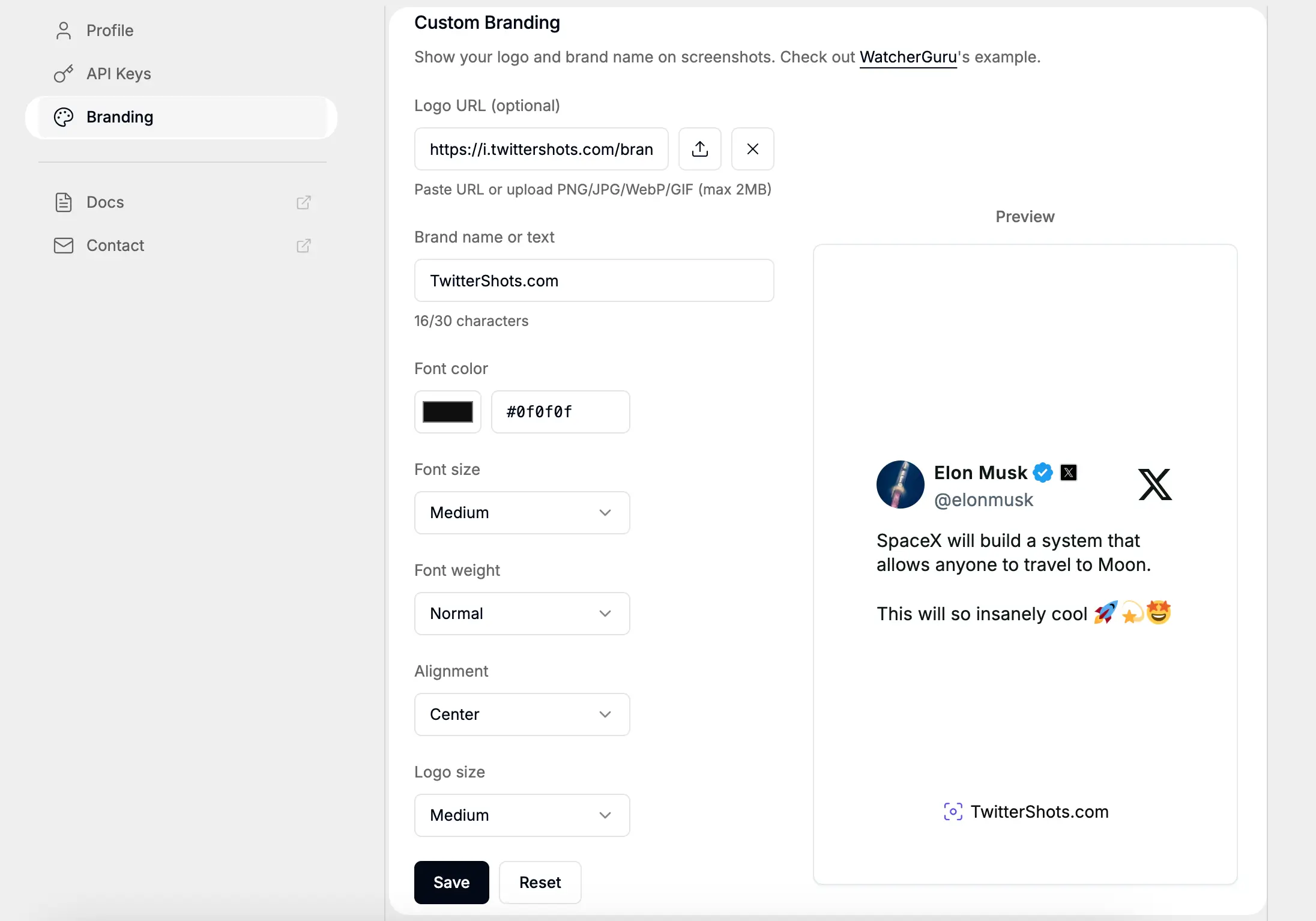
Show your logo and brand name on every screenshot. Add professional branding to your tweet screenshots before sharing on social media, newsletters, or reports.
Need the complete workflow and use cases? Visit the Branded Tweet Screenshot page.
How to use
Step 1: Add Your Logo
Upload your company logo or paste an image URL here.
Supports PNG, JPG, WebP, and GIF formats up to 2MB.
Step 2: Set Brand Text
Enter your brand name or custom text. Choose font color, size, weight, and alignment to match your brand identity.
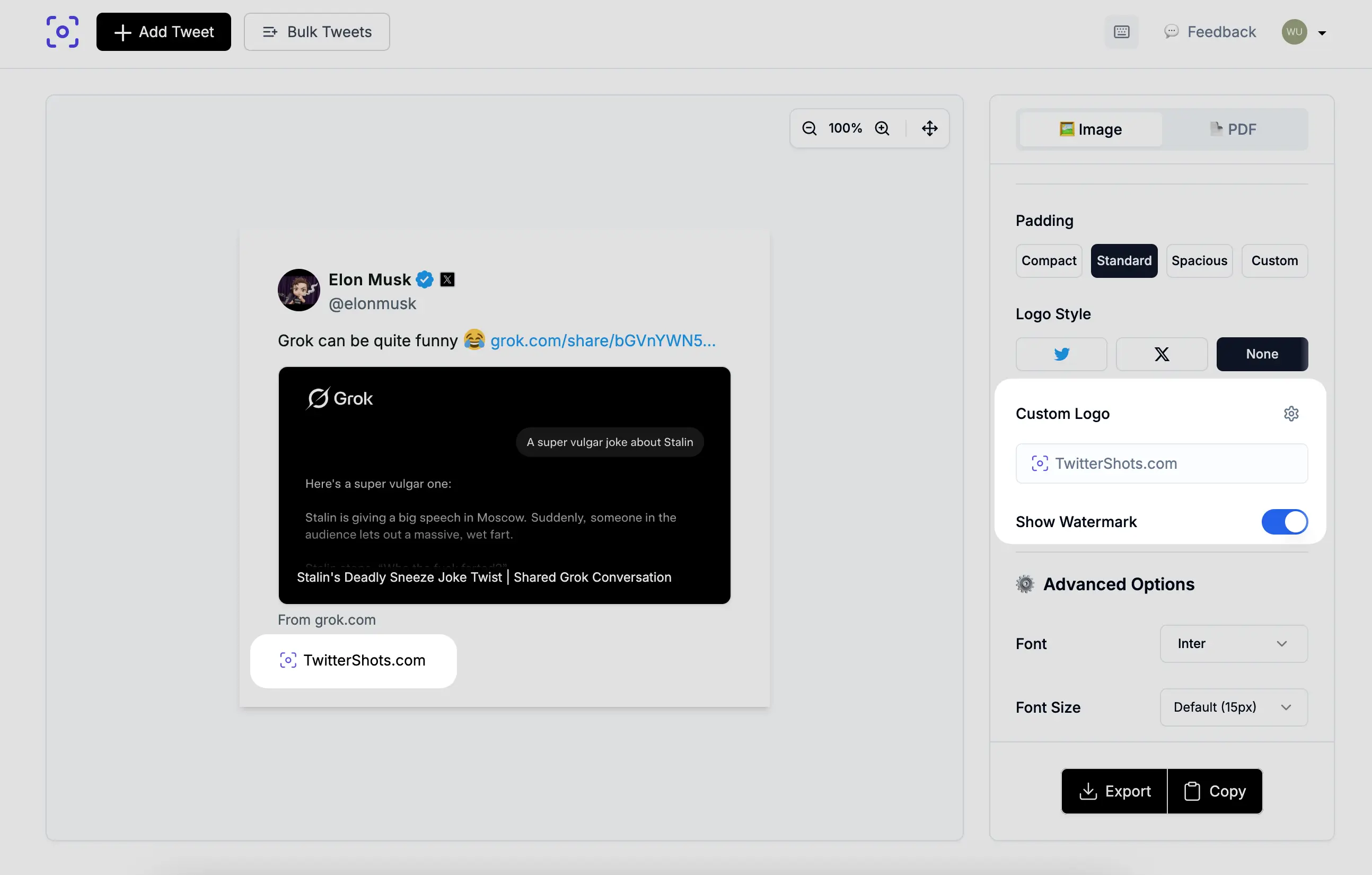
Step 3: Configure Logo Display and use your watermark
Adjust logo size and positioning. Preview how it appears on tweet screenshot.
Branding options
- Logo URL — Upload PNG/JPG/WebP/GIF (max 2MB)
- Brand name or text — Up to 30 characters
- Font color — Custom hex color code
- Font size — Small, Medium, Large
- Font weight — Normal, Bold
- Alignment — Left, Center, Right
- Logo size — Small, Medium, Large
Use cases
- Add company logo to screenshot exports
- Brand social media content
- Professional marketing materials
- Team and agency workflows
Summary
- Input: logo image and brand text
- Output: branded tweet screenshots
- Plan: Pro+ and higher