Customize Tweet Screenshot
Fully customize your screenshot theme. Set background colors, background images, font sizes, logos, and more to match your brand—then export a PNG at standard 2× or 4K resolution.
Resolution & aspect ratio
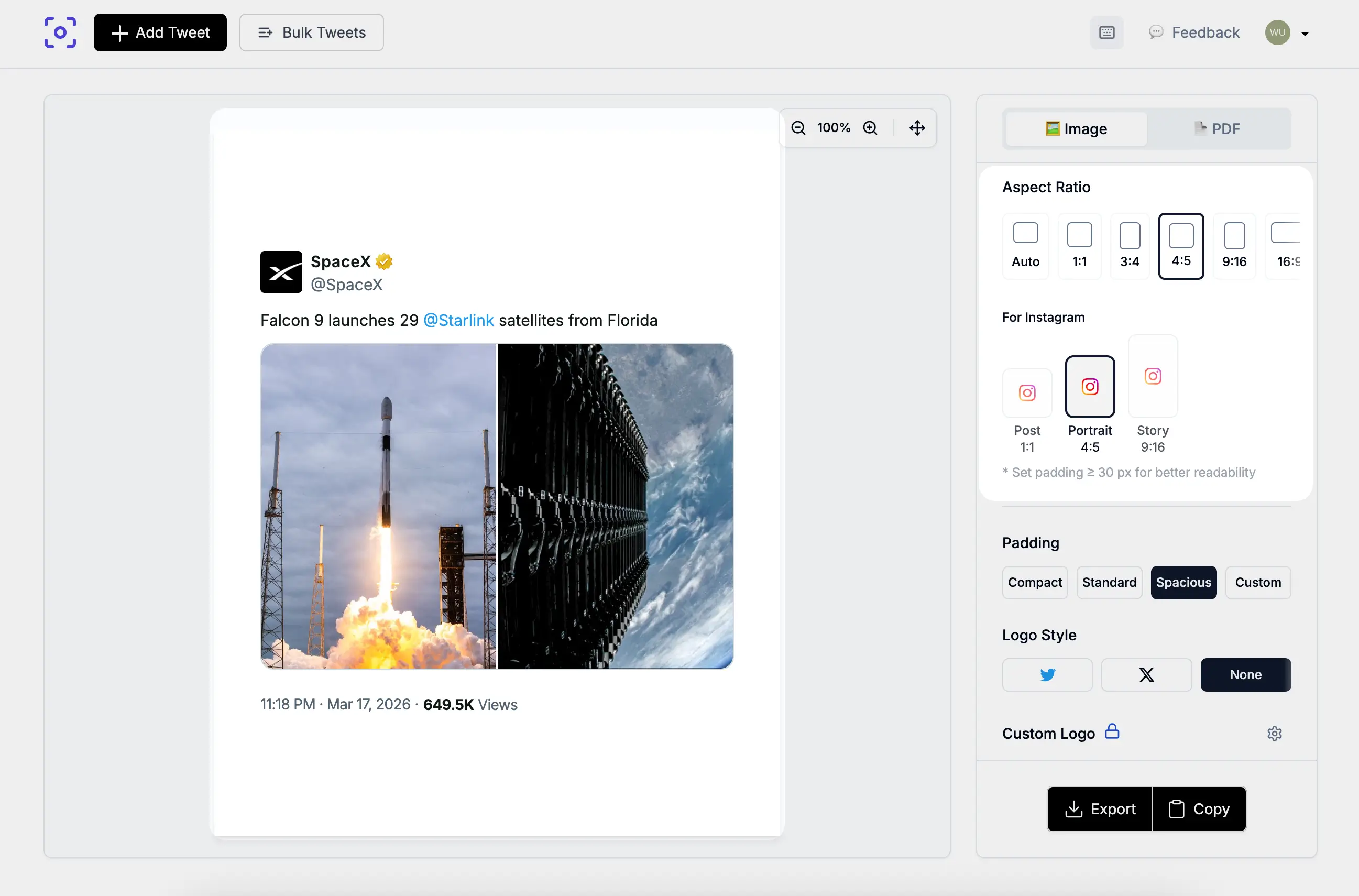
The default Standard export uses a 2× pixel ratio (sharp on Retina displays). On a typical desktop layout the preview card is 500px wide, so the downloaded PNG is about 1000px on the short edge for square layouts. The 4:5 preset uses a 540px base width—about 1080×1350 pixels at 2×, matching common Instagram portrait frames. In Display Settings, choose 4K to render the preview with a scale that makes its longest edge at least 3840px while preserving its aspect ratio. A 16:9 canvas can produce approximately 3840×2160px; other aspect ratios produce different dimensions.
Choose Auto, 1:1, 3:4, 4:5, 9:16, or 16:9 so one tweet fits Instagram posts, Stories, Reels, or widescreen slides without manual cropping.
Color theme and Background
Switch Light or Dark so text, borders, and cards match your brand palette and the platform where you post.
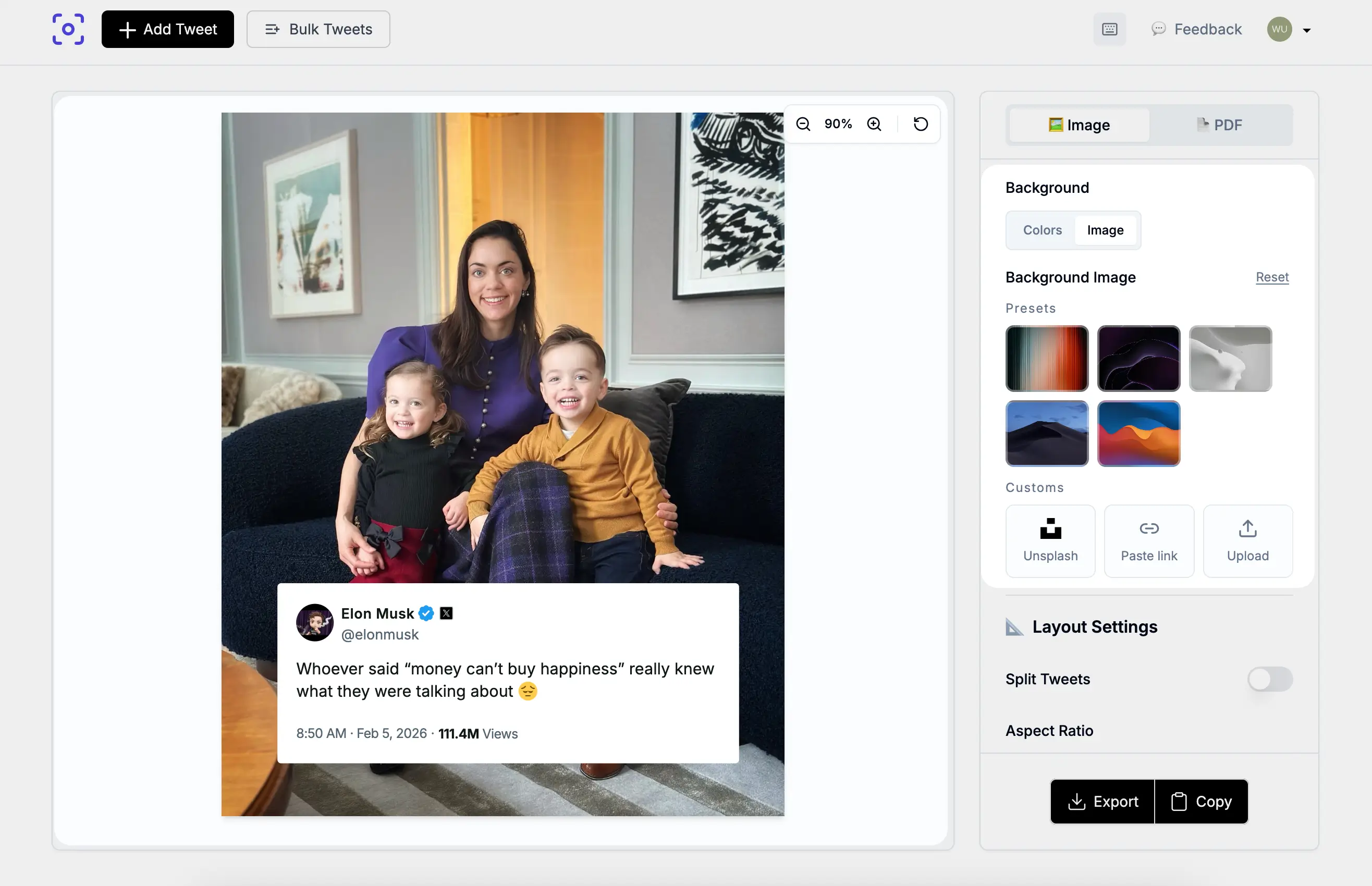
Set a solid hex background or search Unsplash for a background image.
You can also use your own photos from your divices.
Adjust padding and zoom or drag tweet position so the content card stays readable on photos.
Fonts
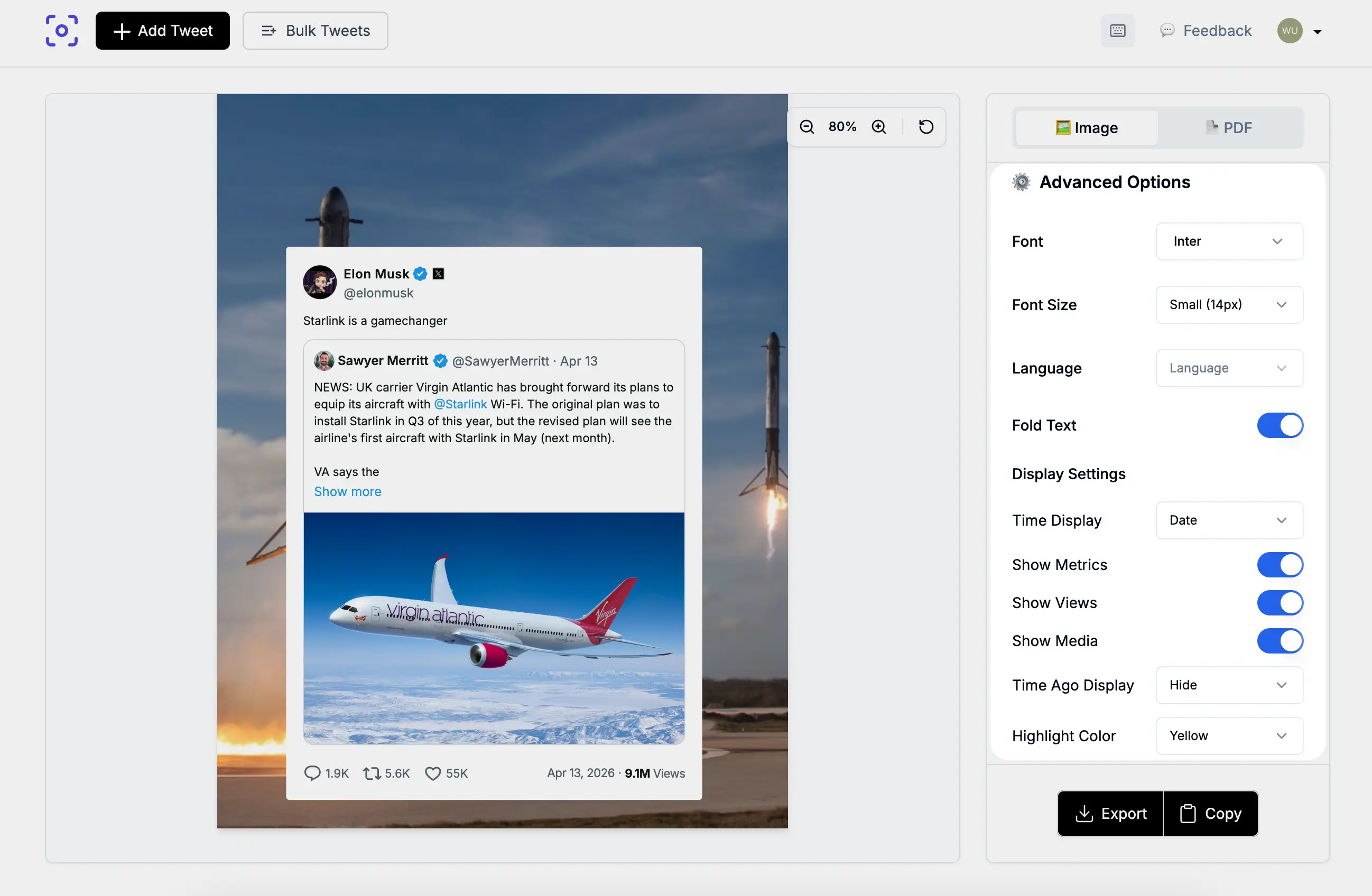
Pick font size presets at 14px, 15px, or 17px, or use Custom from 1px to 50px. Choose a font family from five quick presets (Sans Serif, Serif, Monospace, Cursive, Fantasy) or search Google Fonts in the font picker.
Display settings
Control what appears beside the tweet:
- Timestamp — Date, full Datetime, or Hidden
- Metrics — show or hide replies, reposts, likes, and bookmarks
- View count — show or hide when available
- Footer — “Made with TwitterShots” branding (toggle available on eligible plans)
Summary:
- Standard 2× or 4K PNG export (longest edge at least 3840px for 4K)
- Color theme and Background - setting your color theme or background images
- Timestamp — show Date, full datetime, or hidden date
- Metrics — show or hide replies, reposts, likes, view count
- Footer — “Made with TwitterShots” branding (toggle available on paid plans)
- 6 aspect ratios, 14/15/17px or 1–50px custom padding, and 2 theme Light/Dark themes.