Twitter Thread Screenshot
Thread screenshot is on Pro and higher.
UpgradeWhat it does
Unroll any Twitter/X thread and capture each post as a separate high-resolution image.
Perfect for saving long-form content, sharing thread summaries, or archiving threads across multiple platforms.
How to use
Step 1: Paste a thread URL
Paste any tweet URL from the thread into the input field on the screenshot page. TwitterShots automatically detects whether the tweet is part of a thread.
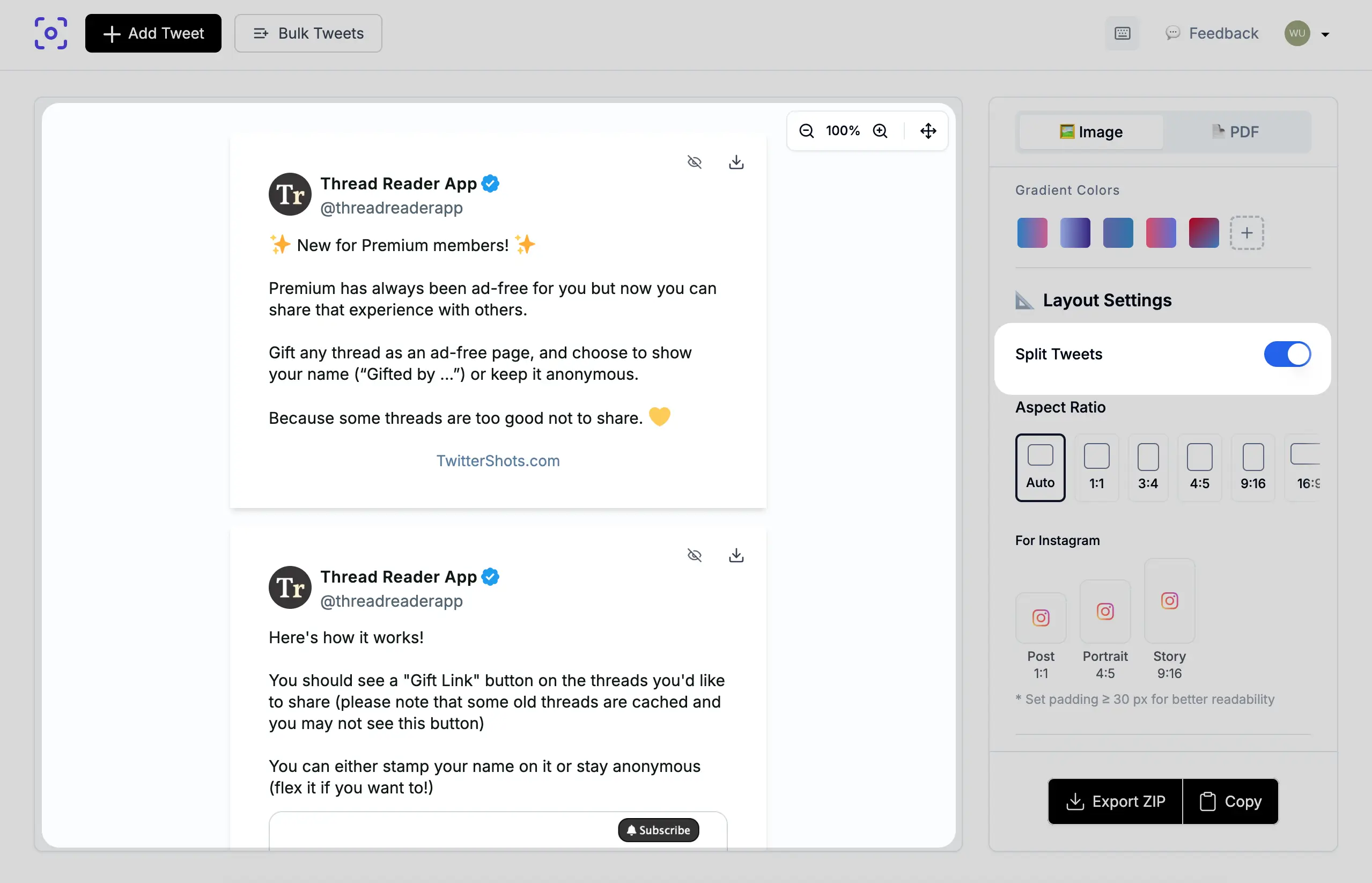
Step 2: Click Split to unroll
On the screenshot page, click the Split button to unroll the thread and generate individual screenshots for each post.
Step 3: Toggle between views
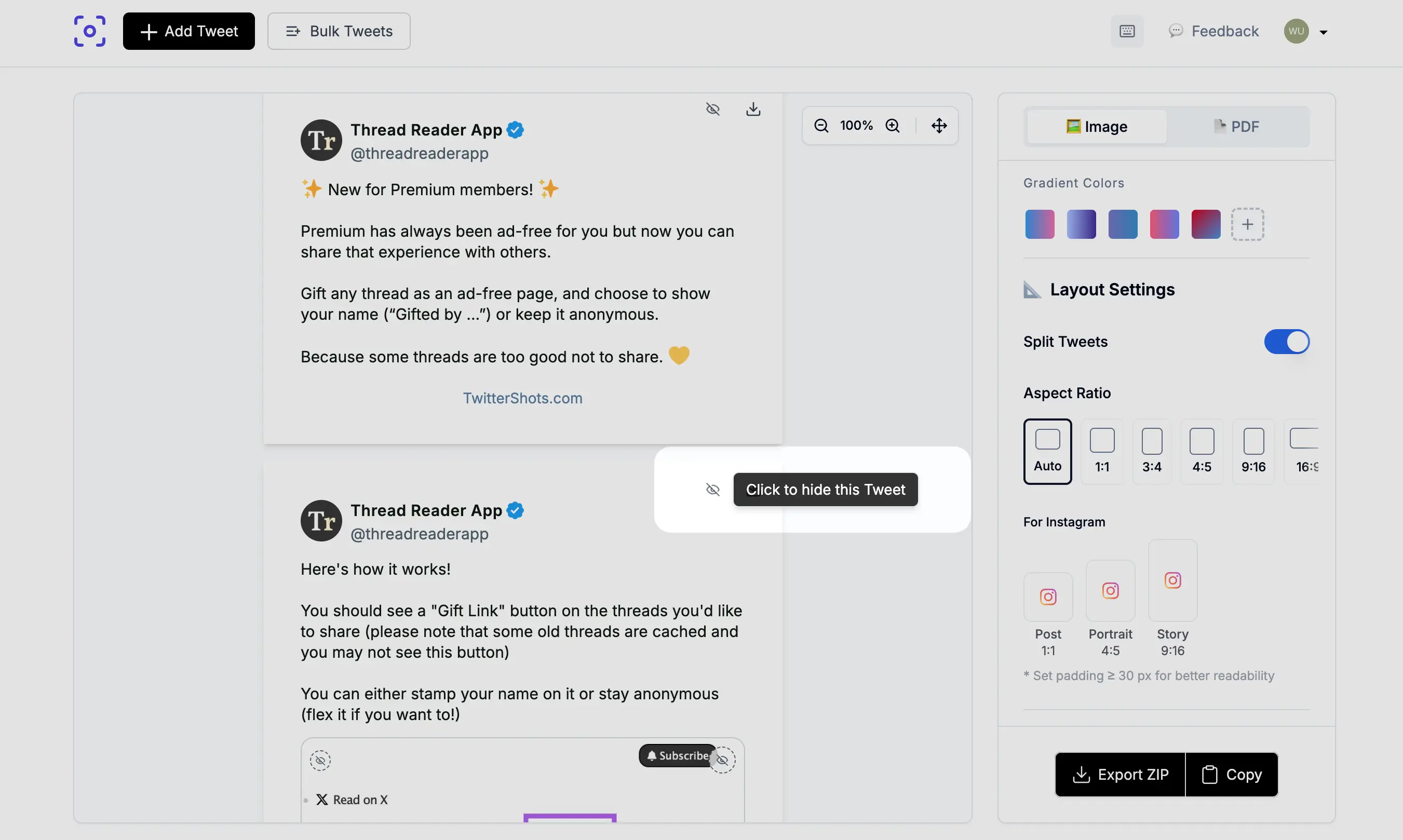
Once split, you can toggle between Thread View (all posts in sequence) and Individual Posts (one post at a time). Use the Hide option to deselect posts you do not want to export.
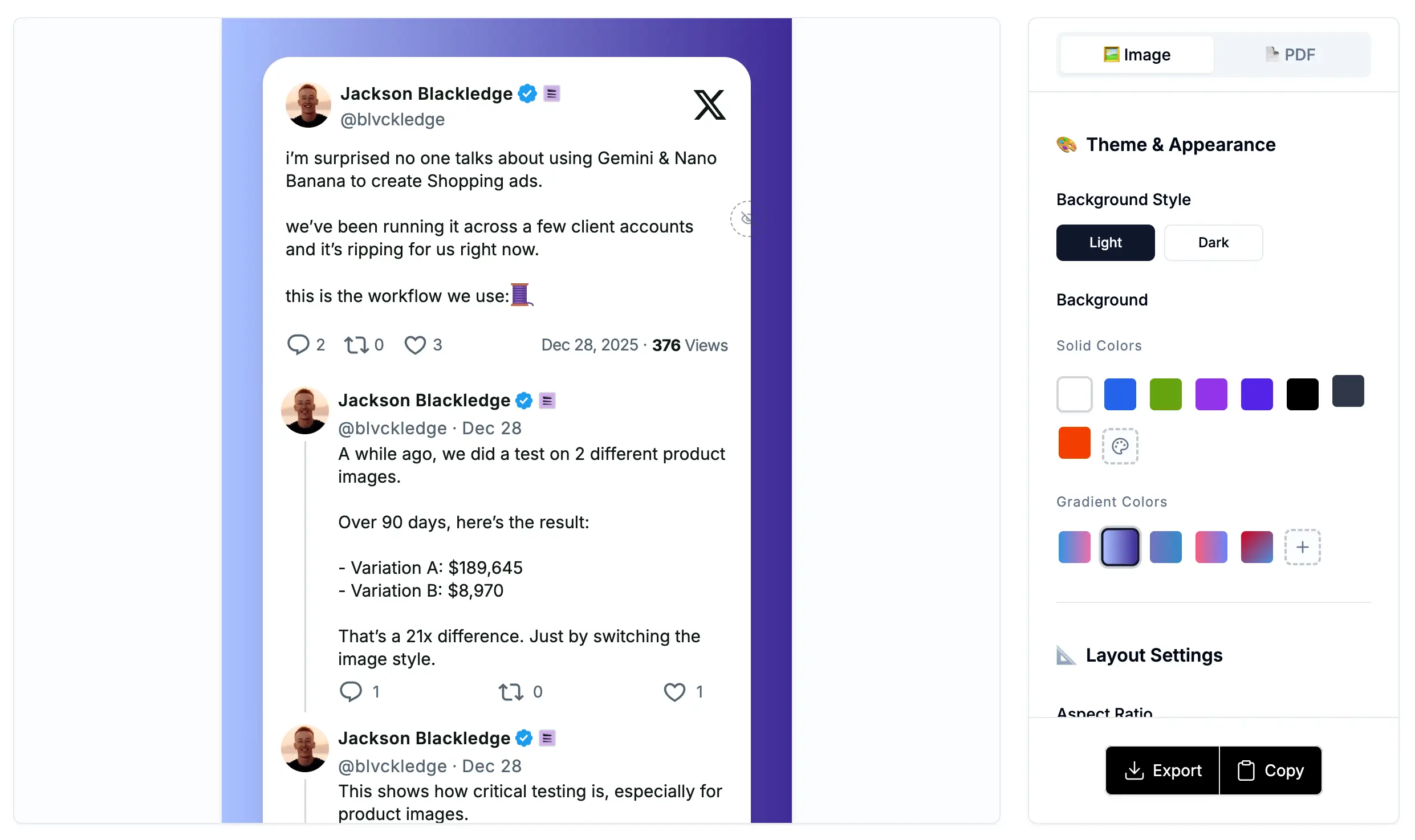
Step 4: Apply themes and export
Apply your preferred theme, background, and styling. Then export individual PNG files for each post or download all screenshots as a ZIP archive.
TikTok / Instagram Slideshow tool
Use /twitter-thread-screenshot for a dedicated slideshow export flow:
- Paste a thread URL and generate slides
- Customize Light / Dark theme
- Choose resolution: TikTok 1080×1920 (default) or Instagram Post 1080×1350
- Toggle slide counter and metrics
- Export a ZIP of PNG slides — no watermark by default
Use cases
- Content curation
- Social sharing
- Documentation
Summary
- Input: one thread URL (any post in the thread)
- Output: multiple PNG screenshots (one per post)
- Slideshow resolutions: TikTok
1080×1920(default), Instagram Post1080×1350 - Customization: theme, slide counter, metrics
- Watermark: none by default on the slideshow tool
- Plan: Pro and higher
- Formats: PNG, ZIP
- Max posts: unlimited thread length