Twitter Video Converter
Video converter is on the Pro plan and higher.
UpgradeWhat it does
Convert any tweet into an engaging video for TikTok, Instagram Reels, and YouTube Shorts.
How to use
Step 1: Paste Tweet Link
Enter any Twitter/X post URL into the input field. The tool automatically extracts the tweet content, media, and metadata.
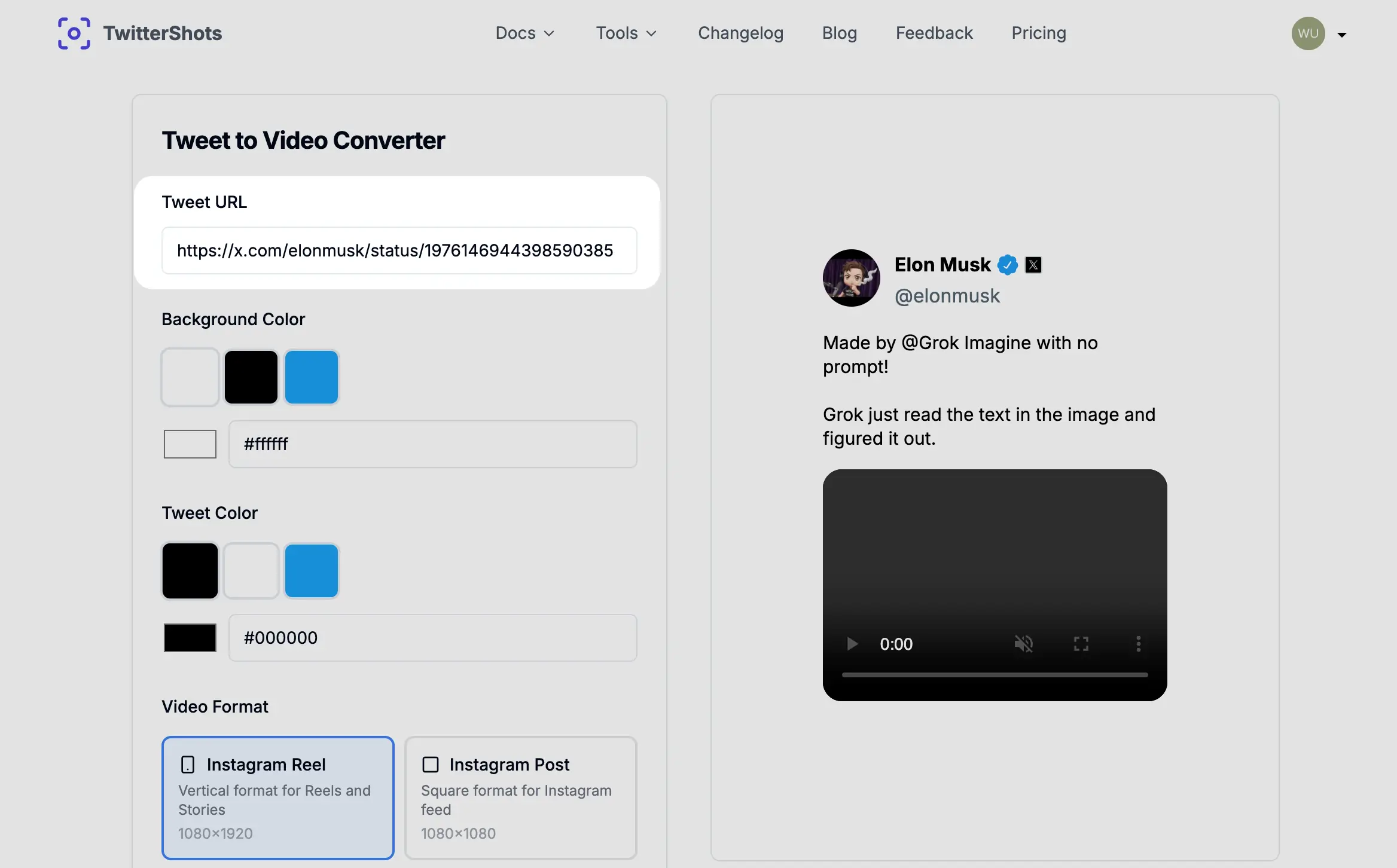
Step 2: Customize Settings
Choose your video preferences:
- Background — Select solid colors, gradients, or upload custom background images
- Resolution — Pick the perfect aspect ratio for your target platform
Step 3: Generate & Download
Click the Compose button to generate your video. Preview the result and download in MP4 format, ready to upload to any social platform.
Supported formats and aspect ratios
9:16 Vertical (1080 x 1920)
The most popular format for short-form video. This tall vertical ratio fills the entire screen on mobile devices.
Best for:
- TikTok videos
- Instagram Reels
- YouTube Shorts
- Snapchat Stories
- Facebook Reels
1:1 Square (1080 x 1080)
The classic Instagram format. Square videos perform well in feeds and look consistent with image posts.
Best for:
- Instagram feed posts
- Facebook posts
- LinkedIn posts
- Twitter/X timeline
16:9 Landscape (1920 x 1080)
The standard widescreen format used by traditional video platforms.
Best for:
- YouTube main videos
- Twitter/X landscape posts
- Facebook landscape videos
- Website embeds
- Presentations
Use cases
- TikTok growth — Turn viral tweets into TikTok videos with background music
- Instagram Reels — Repurpose Twitter content for Reels to reach new audiences
- YouTube Shorts — Build a Shorts channel using curated tweet content
- Cross-platform sharing — Share the same tweet across multiple platforms in native formats
- Content curation — Create video compilations of the best tweets in your niche
Summary
- Input: one tweet URL
- Output: one MP4 video file
- Formats: 9:16, 1:1, 16:9
- Plan: Pro and higher