Twitter Video Downloader — New in TwitterShots v2.9.1
TwitterShots v2.9.1 introduces a free Twitter video downloader: paste any tweet URL, get direct MP4 links sorted by quality, open on X, and save to your device. Works on desktop and iPhone Safari — no extension or re-encoding required.
What's New in TwitterShots v2.9.1
Until v2.9.1, TwitterShots focused on tweet screenshots, threads, and Instagram exports. Users kept asking for a simple way to pull MP4 links from video tweets without shady third-party apps or browser extensions.
The new Twitter Video Downloader lives on TwitterShots alongside your screenshot workflow. Paste a public tweet URL, and we return every MP4 variant X exposes for that post — sorted highest bitrate first, labeled HD when applicable.
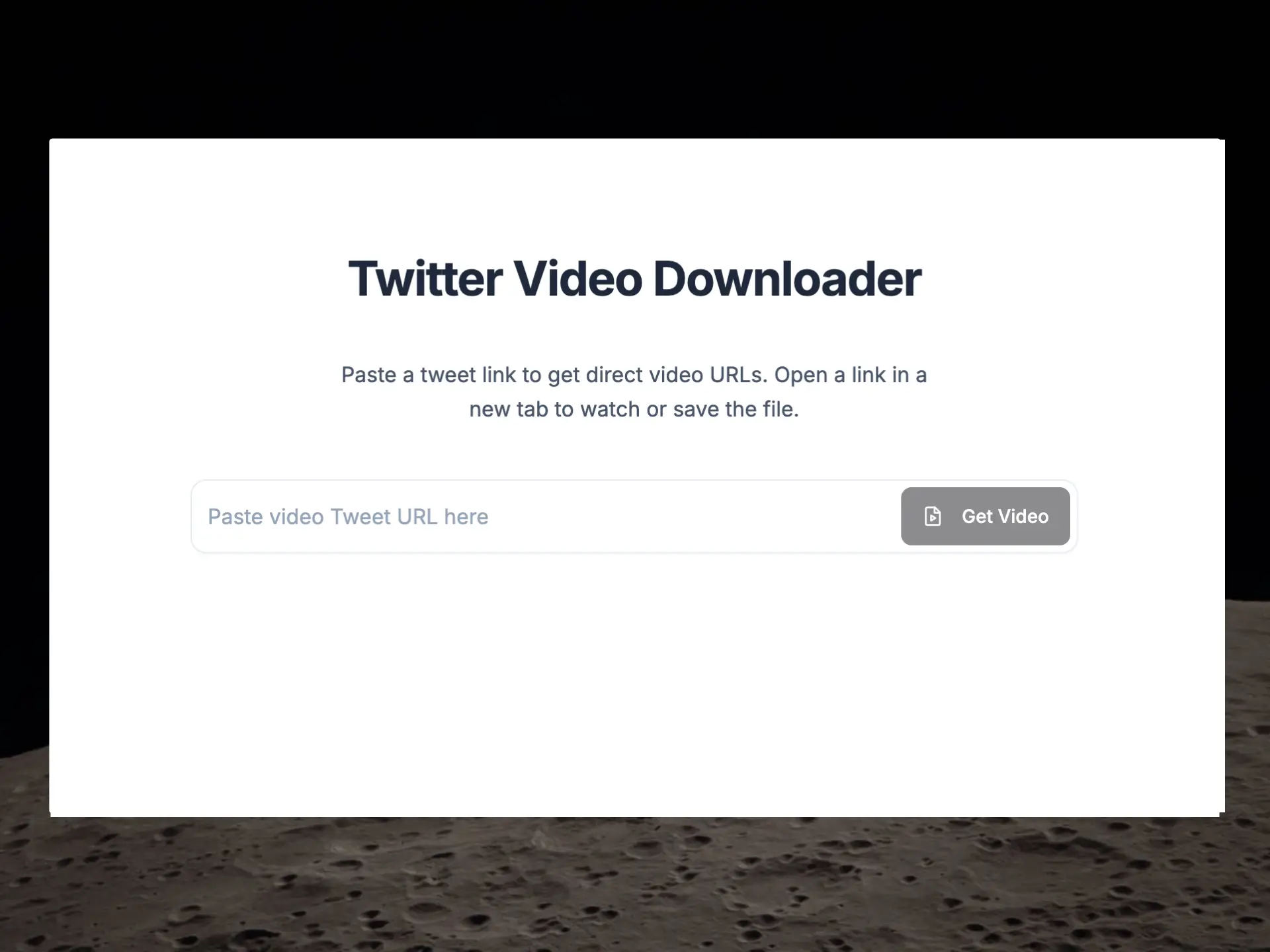
How to Download Twitter Videos (MP4)
You do not download the file inside TwitterShots. We resolve direct video URLs from the tweet; you open the official X player and save from there. That keeps playback authentic and avoids routing large files through our servers.
- Copy the tweet link from the X app (Share → Copy link) or from the browser address bar.
- Paste the URL into TwitterShots and click Get Video.
- Choose a quality row — HD is the highest bitrate MP4 available.
- Click Open to launch the video on X, then use the player menu (⋯) and Download to save.
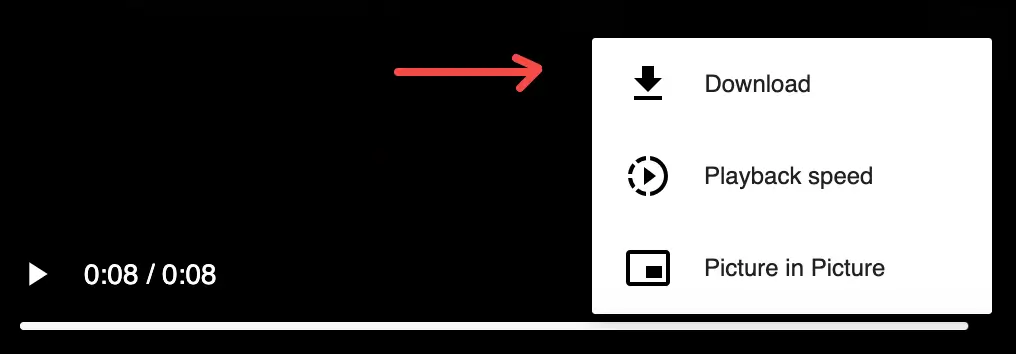
Download Twitter Videos on iPhone and Android
The downloader runs in mobile browsers. On iPhone, open Safari, visit TwitterShots, paste the tweet link, and follow the same Get Video → Open → Download flow on X. No App Store extension is required.
Android users can use Chrome or any modern mobile browser with the same steps. Signed-in TwitterShots accounts can look up video links at no extra charge.
Why We Built a Twitter Video Downloader
Creators repurpose tweet videos for newsletters, TikTok clips, and team archives. Screenshot tools alone cannot capture motion; screen recording loses quality and adds friction.
TwitterShots already fetches tweet metadata for screenshots — exposing video URLs was a natural extension. We surface what X already publishes on its CDN instead of re-hosting or watermarking content.
Twitter Video Downloader vs Tweet Screenshots
Use the video downloader when you need the original MP4 file. Use tweet screenshots when you want a static image for Instagram, blogs, or PDFs. Many workflows use both: screenshot the quote tweet, download the attached clip.
- Video downloader → motion, editing, offline playback
- Tweet screenshots → threads, branding, Instagram carousels
- Thread Reader → PDF/Markdown export for long-form posts
Frequently Asked Questions
Is the TwitterShots video downloader free?
Yes. Signed-in users can fetch public tweet video links for free. TwitterShots does not host or re-encode files — you save directly from X after opening the link.
What format are downloaded Twitter videos?
All variants are MP4. The list shows every bitrate X exposes for that tweet, sorted highest to lowest. Pick HD for best quality or a lower row for a smaller file.
Can I download videos from private or protected tweets?
No. The tool only works with public tweet URLs, the same limitation as screenshot and thread tools on TwitterShots.
Does X notify the author when I download their video?
No. X does not send notifications when someone views, screenshots, or downloads a public video through normal playback.