Twitter Thread Screenshot to TikTok Slideshow
TwitterShots 2026.8.2 launches Twitter Thread Screenshot to TikTok Slideshow — paste a thread URL, turn each tweet into a vertical slide, then export a ZIP for TikTok, Instagram, or YouTube Shorts. No watermark by default.
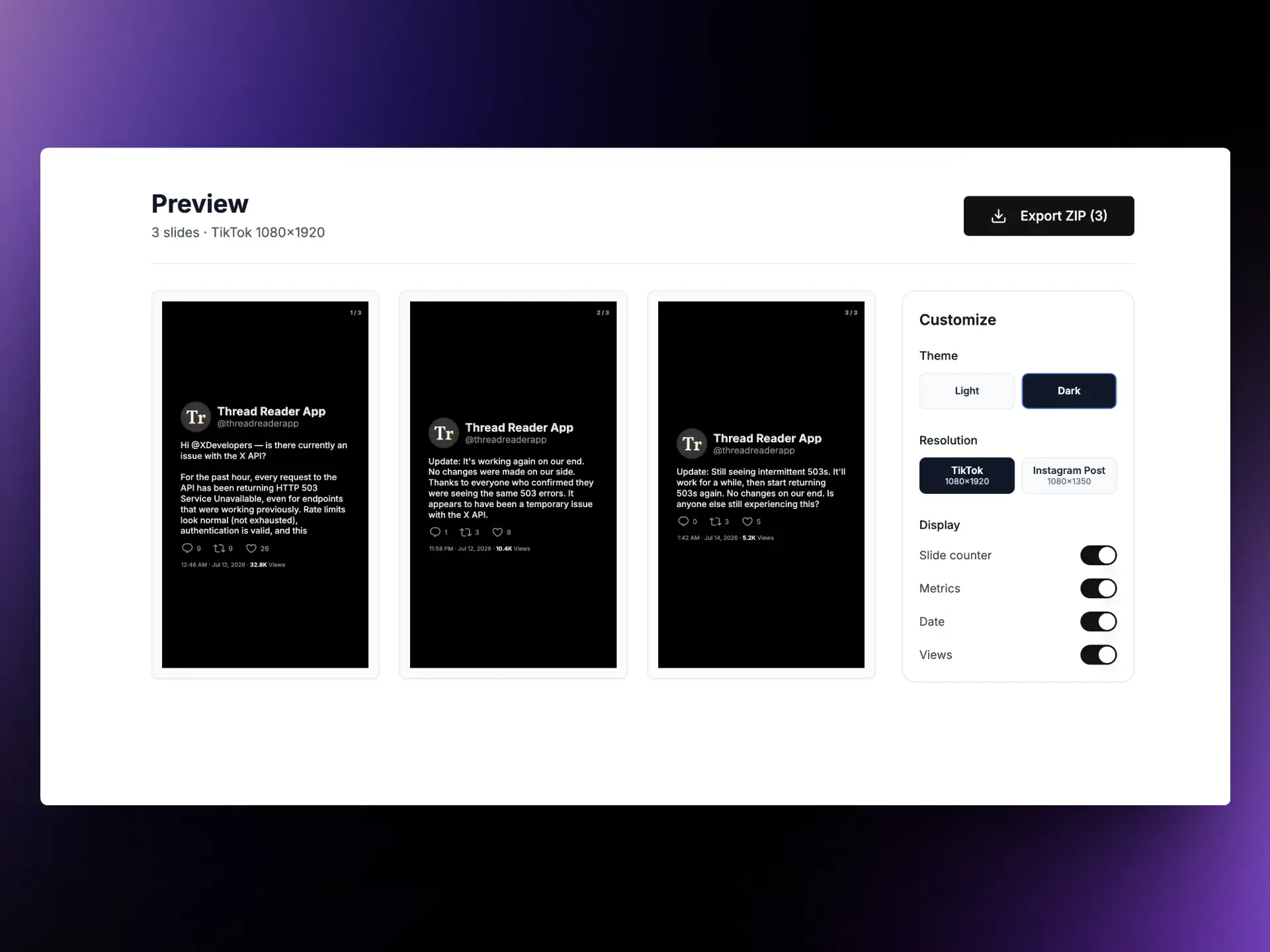
What's new
Creators already use TwitterShots for single-tweet screenshots. Long threads were harder: capture each post by hand, crop for 9:16, and stitch a carousel.
Thread Screenshot to TikTok Slideshow unrolls the thread, formats every post as a slide, and packs the export into a ZIP — ready for TikTok photo mode, Instagram carousels, Reels covers, or YouTube Shorts.
- Default TikTok 1080×1920 (9:16)
- Switch to Instagram Post 1080×1350 (4:5)
- Light / dark theme, slide counter, metrics, date, and views
- ZIP export with no watermark
When to use it
Use this tool when a thread is the story — not a single tweet.
- Repurpose viral threads into TikTok slideshows without redesigning each frame
- Ship Instagram carousels from the same thread with a 4:5 preset
- Archive tutorials and product launches as clean slide decks for newsletters or Notion
- Turn research / news threads into Shorts-ready assets for editors and journalists
How to convert a Twitter thread
- Copy a thread URL from X (
x.com/username/status/IDortwitter.com/...). - Open Twitter Thread Screenshot and paste the link.
- Click Convert and wait for the slides to load.
- In Customize, set theme (Light/Dark), resolution (TikTok or Instagram Post), and toggles for slide counter, metrics, date, and views.
- Download the ZIP, then upload the images to TikTok, Instagram, or YouTube Shorts.
Tip: start from the first tweet in the thread so the unroll includes every reply in order.
Export formats
| Format | Size | Best for |
|---|---|---|
| TikTok (default) | 1080×1920 · 9:16 | TikTok photo mode, Reels, Shorts |
| Instagram Post | 1080×1350 · 4:5 | Instagram feed carousels |
Each tweet becomes one image. The ZIP keeps slides ordered so you can upload in sequence without renaming.
Related tools
- Twitter Video Translator — AI subtitles for X videos
- Thread Reader — unroll threads to PDF or Markdown
- Tweet to Instagram — single-tweet Instagram posts