Twitter Carousel Generator for Instagram
Turn a long X post or Article into a polished Instagram carousel without manually copying text into design templates. TwitterShots now splits the content into readable, share-ready 3:4 images and downloads every page together as a ZIP.
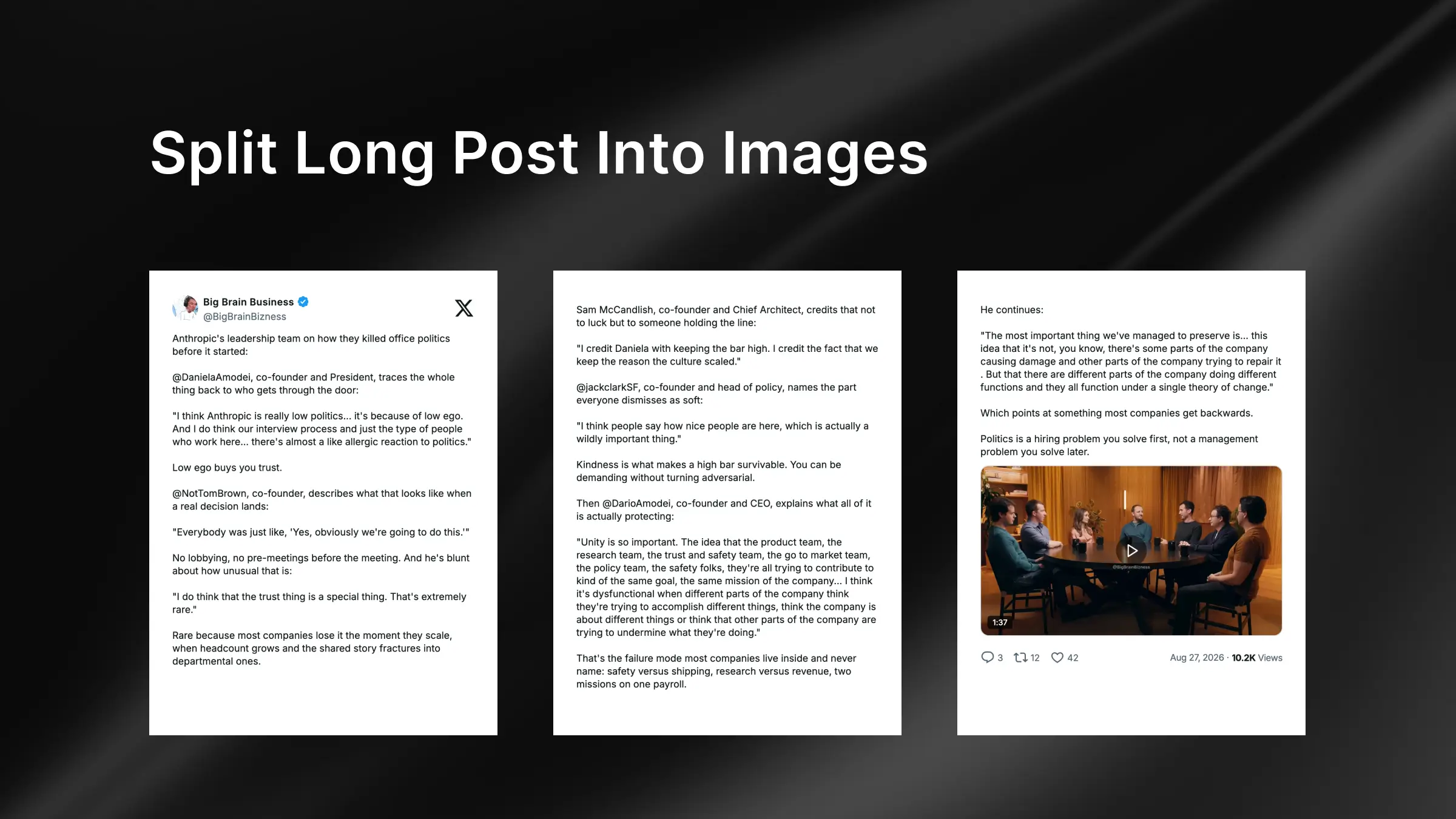
Turn long X content into an Instagram carousel
Long posts and X Articles contain useful ideas, but a single tall screenshot is difficult to read and rarely fits naturally into an Instagram carousel. Cropping it by hand can split a sentence, separate an image from its context, or produce slides with inconsistent spacing.
The new Split Long Post option makes TwitterShots a purpose-built Twitter Carousel Generator for Instagram. It measures the post content, creates as many 3:4 pages as needed, and preserves a consistent visual system across the carousel.
- Every page uses a share-ready 3:4 canvas
- The author header appears on the first page only, leaving more room for content on later pages
- Text is divided at natural boundaries for easier reading
- Quoted posts, cover images, and images inside Articles remain part of the carousel
- Media stays on the current page when enough space is available and moves only when it cannot fit
- Views, date, and other post stats appear on the final page
- All generated images download together as one ZIP
How to create a Twitter carousel for Instagram
1. Paste the X or Twitter URL
Open TwitterShots and paste the public URL of a long post or X Article into the input. TwitterShots loads the original text, author details, quoted content, and available media into the editor.
2. Turn on Split Long Post
In the layout controls, enable Split Long Post. The preview immediately paginates the content into a sequence of 3:4 images. Review the pages and adjust the theme, font, background, or other screenshot settings as usual.
3. Download the ZIP
Click the export button when the carousel is ready. TwitterShots renders each page as a high-quality image and downloads the complete set in a single ZIP, already ordered for posting to Instagram.
Designed for readable, share-ready slides
This workflow is useful when an X post is too substantial for one screenshot but should still feel like one continuous story. Instead of forcing content into a fixed number of slides, pagination follows the actual text and media. Shorter sections use the available space, while larger elements move to the next image only when necessary.
The result is a carousel that stays faithful to the original post while being easier to read on Instagram. You can also reuse the exported images for LinkedIn, Pinterest, newsletters, or other visual content workflows that benefit from a consistent 3:4 format.