Twitter Screenshot Maker Onboarding — New in TwitterShots
The new TwitterShots onboarding flow gives first-time users a clearer path from sign-in to their first tweet screenshot. Four short questions capture the user's role, goal, preferred workflows, and expected volume while preserving the tweet or page they originally wanted to open.
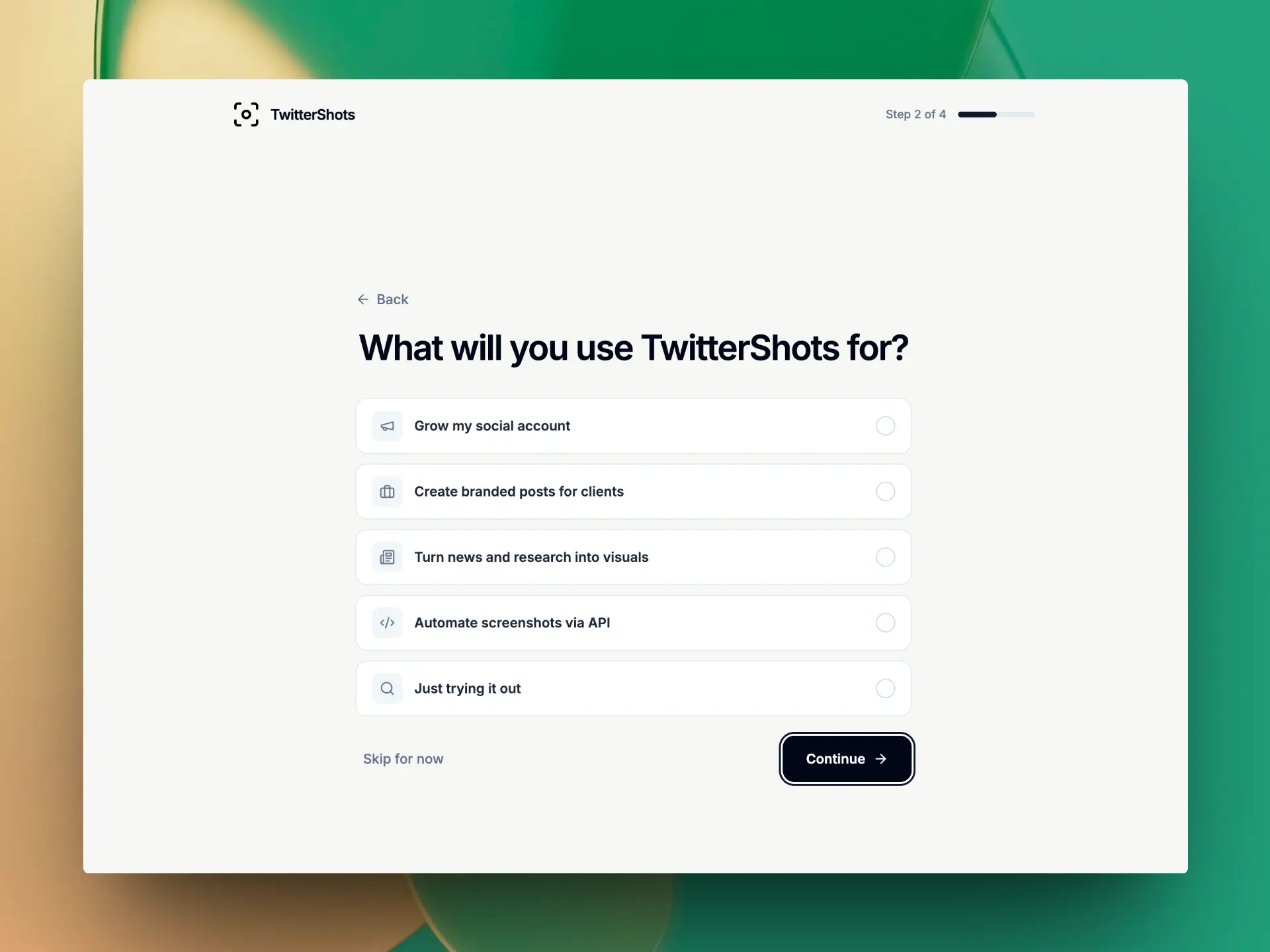
A More Personal Start with TwitterShots
TwitterShots now welcomes new users with a short onboarding flow. Instead of showing every screenshot tool at once, we ask a few focused questions to understand what you want to create and which workflows matter to you.
The setup is designed for creators, agencies, journalists, public-affairs teams, developers, and anyone exploring a Twitter screenshot maker for the first time.
How TwitterShots Onboarding Works
The setup uses four short steps:
- Role: content creator, journalist or media professional, government or public affairs, or another role.
- Primary use case: social growth, branded client work, news and research visuals, API automation, or exploration.
- Workflow priorities: bulk tweet screenshots, thread capture, custom branding, API and AI agents, Tweet to Video, or a custom need.
- Monthly volume: fewer than 100, 100–1,000, or more than 1,000 tweet screenshots.
Users can move backward, change an answer, or skip the setup. After the questions, TwitterShots explains the Pro+ option for high-volume workflows and provides a clear Continue with Free action.
What Good Onboarding Should Do
A good onboarding experience should help users reach their first useful result without becoming another task to complete. For TwitterShots, that means keeping the flow:
- Short: four questions, with no long product tour.
- Relevant: questions are based on outcomes such as social growth, client work, research, branding, and automation.
- Continuous: a tweet link or intended page is preserved through sign-in and setup.
- Optional: users can skip onboarding or change previous answers.
- Transparent: Pro+ is presented for advanced workflows, while the Free plan remains available.
Onboarding should reduce uncertainty, not add friction. The fastest path is still to paste a public tweet URL, generate a screenshot, customize it, and export the image.
Continue Where You Started
When onboarding starts after you paste a tweet URL, TwitterShots keeps the intended destination through authentication. Complete or skip the setup, and you can continue the original tweet screenshot workflow instead of starting again from an empty page.
Frequently Asked Questions
Who sees the new TwitterShots onboarding flow?
The flow is designed for new TwitterShots accounts so first-time users can explain their goals before starting a tweet screenshot workflow.
Do I have to complete onboarding to use TwitterShots?
No. Onboarding is optional. You can skip the questions, and after setup you can continue with the Free plan instead of choosing Pro+.
Will my tweet link be lost when I sign in?
No. When onboarding starts from a tweet screenshot action, TwitterShots preserves the intended destination and returns you to it after setup.
What does TwitterShots ask during onboarding?
The four steps ask about your role, primary use case, preferred TwitterShots capabilities, and expected monthly tweet screenshot volume.