Public X video downloader

Twitter Video Download

Paste a public Tweet URL, choose an available MP4 quality, and save the video from X.

Paste a public x.com or twitter.com Tweet URL with a video.

How to download a Twitter video

Start with the public post URL and choose from the MP4 variants returned for that video.

  1. 1

    Copy the public post URL

    Open the video post on X, select Share, and copy its x.com or twitter.com status link.

  2. 2

    Retrieve the video options

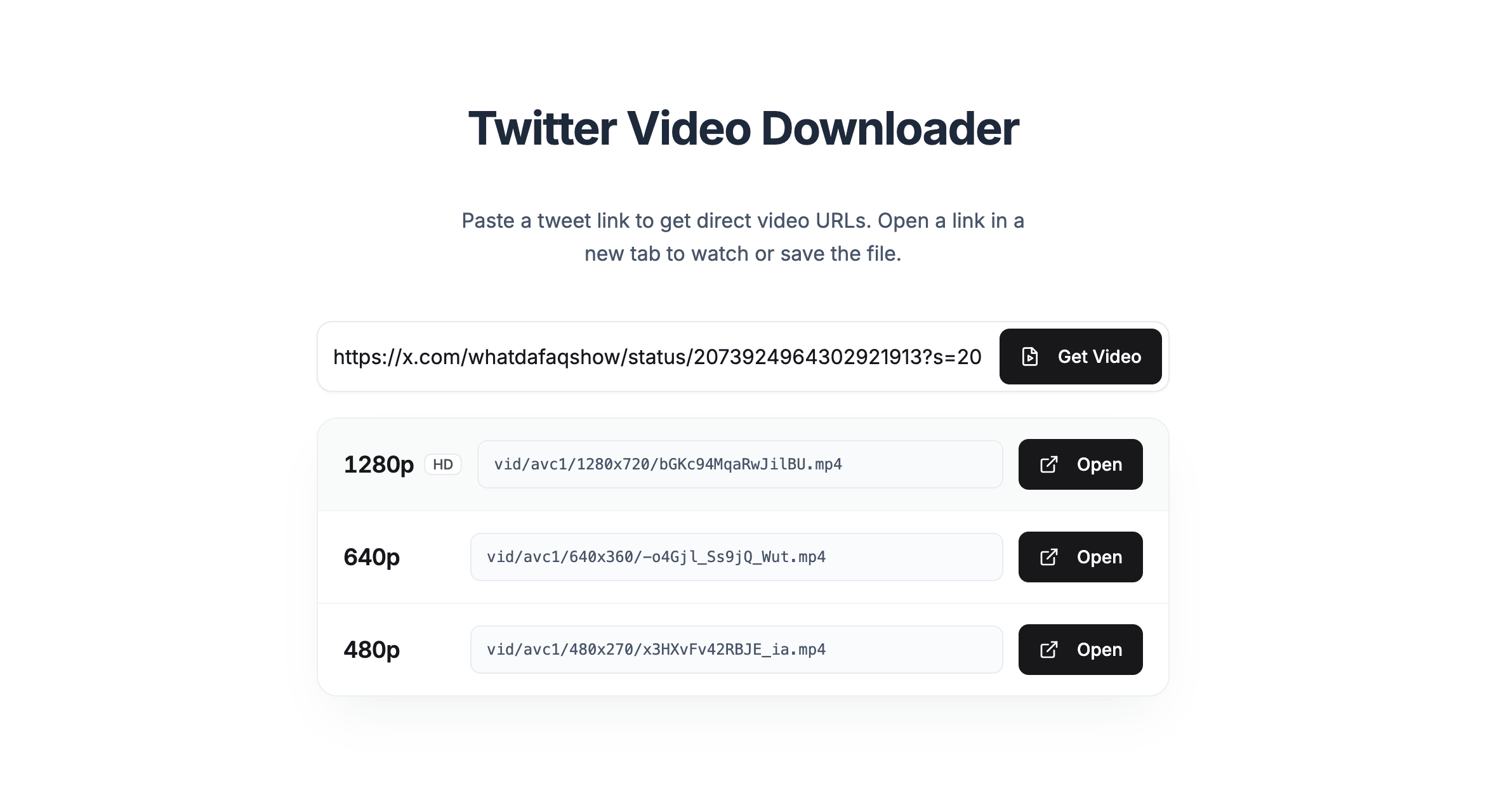
    Paste the URL into TwitterShots and select Get Video to find the MP4 variants available for that post.

  3. 3

    Choose a quality and save

    Open the MP4 quality that fits your device, then use the browser or player controls to save the file.

TwitterShots listing MP4 quality options for a public X video

A clear guide to Twitter video download

Twitter video download starts with a public status URL. TwitterShots checks the post for available video variants and presents the MP4 qualities it can retrieve. You choose the appropriate version and save it using your browser or video player controls.

What the downloader can access

The post must be public, available, and contain video. TwitterShots does not bypass private accounts, deleted content, regional restrictions, or platform access controls.

How files are handled

TwitterShots retrieves links for the available video variants. It does not claim ownership of the original post or give permission to republish another creator's work.

Use downloaded media responsibly

Save videos you own or have permission to use. Review copyright, privacy, platform terms, and local requirements before sharing or republishing a file.

Written and reviewed by

Product builder and developer

Published

Updated

Twitter video download FAQ

Clear answers about supported posts, MP4 options, access limits, and responsible use.

How does Twitter video download work?

Paste a public x.com or twitter.com status URL into the downloader. TwitterShots retrieves the MP4 variants available for the post so you can choose a quality and open the video for saving.

Which Twitter and X links are supported?

Use a public status URL in the format x.com/username/status/id or twitter.com/username/status/id. The post must still be publicly accessible and contain video.

Can I download videos from private accounts?

No. TwitterShots does not bypass private accounts, deleted posts, regional restrictions, or other X access controls.

Why are no MP4 options shown?

The post may not contain a downloadable video, may have been deleted, may be private, or may be unavailable in your current region. Confirm that the URL opens a public video post.

Do I need to sign in to TwitterShots?

You can paste a URL immediately. TwitterShots may ask you to sign in before retrieving or opening video links, depending on current product access and usage limits.

Can I use a downloaded video anywhere?

Only download and reuse videos you own or have permission to use. Copyright, privacy, platform terms, and local laws continue to apply.

Is TwitterShots affiliated with X?

No. TwitterShots is an independent product and is not affiliated with X Corp. X and Twitter are referenced to describe supported public post URLs.