TwitterShots vs Pikaso

A clearer way to turn X posts into images you can reuse.

Pikaso may fit an occasional capture. TwitterShots is built for branded posts, thread exports, bulk creation, and automation.

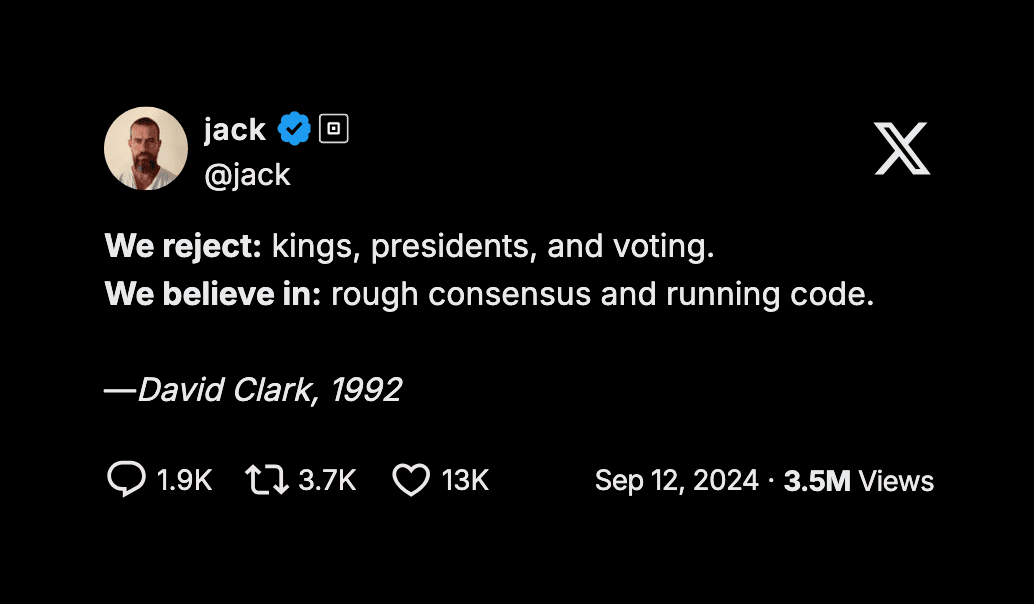
A TwitterShots screenshot with custom branding

Choose TwitterShots when the output has a job to do.

Use it when one post needs to become a branded image, a thread PDF, a batch of assets, or part of an automated workflow.

Choose Pikaso when a single capture is enough.

Its lightweight workflow can be the right choice when your needs stop at an occasional screenshot.

More than a capture

Keep the context. Change the format.

The useful difference begins after you paste an X post URL. TwitterShots gives the result a path into the rest of your work.

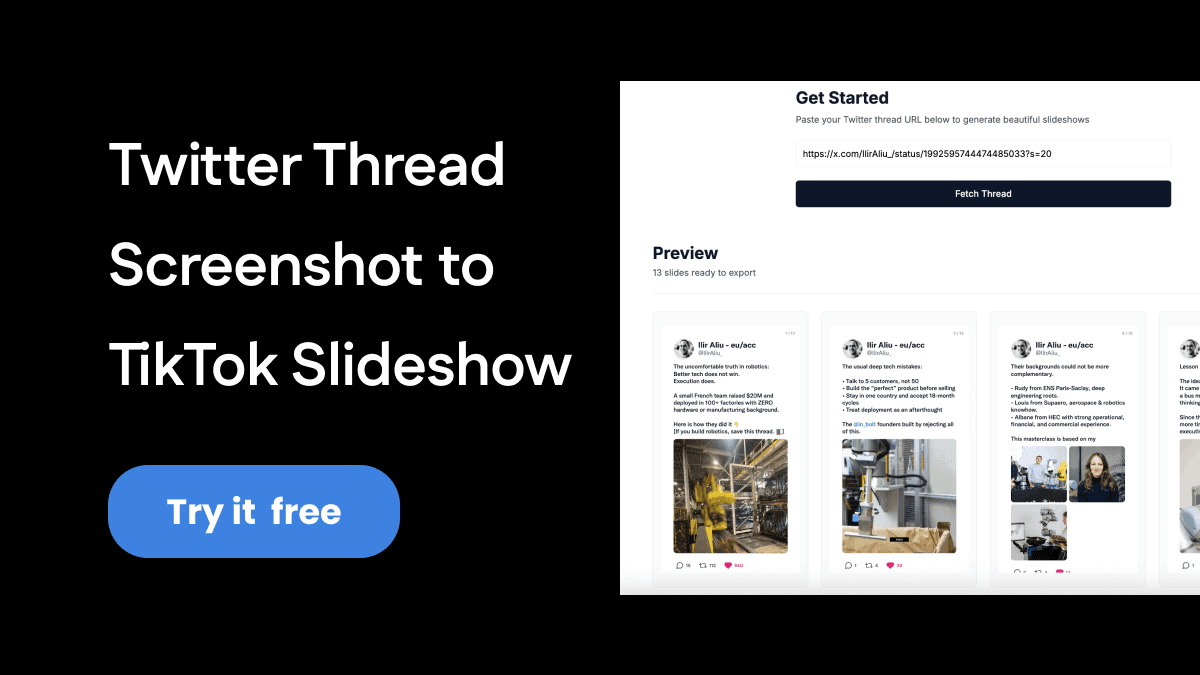
A TwitterShots thread prepared as a TikTok slideshow

Turn threads into shareable sequences

Create thread images or export a PDF when a source needs to travel beyond X.

Explore thread screenshots

Make the screenshot feel native elsewhere

Set the background, format, and branding for the channel where the post will actually be seen.

Build an Instagram post

At a glance

The capabilities that change the workflow.

TwitterShots capabilities below link to product pages or public documentation. Pikaso is only described where public information is available.

What mattersTwitterShotsPikaso
Single X-post captureYesCheck the current Pikaso workflow
Threads and PDF exportThread images and PDF exportNot publicly documented for this comparison
Batch workflowUp to 30 public posts per runNot publicly documented for this comparison
Brand controlsBackground, format, and custom branding optionsCheck the current Pikaso workflow
AutomationAPI plus Zapier, n8n, and MakeNot publicly documented for this comparison
Output formatsPNG, SVG, and HTML API outputNot publicly documented for this comparison

Built into your process

Make screenshots without making extra work.

An API and no-code integrations let a screenshot appear where your team already publishes, researches, or collects sources.

Batch public posts. Prepare up to 30 screenshots in one run.

Connect the result. Use the API, Zapier, n8n, or Make when the capture is only one step in a process.

Read the API docs
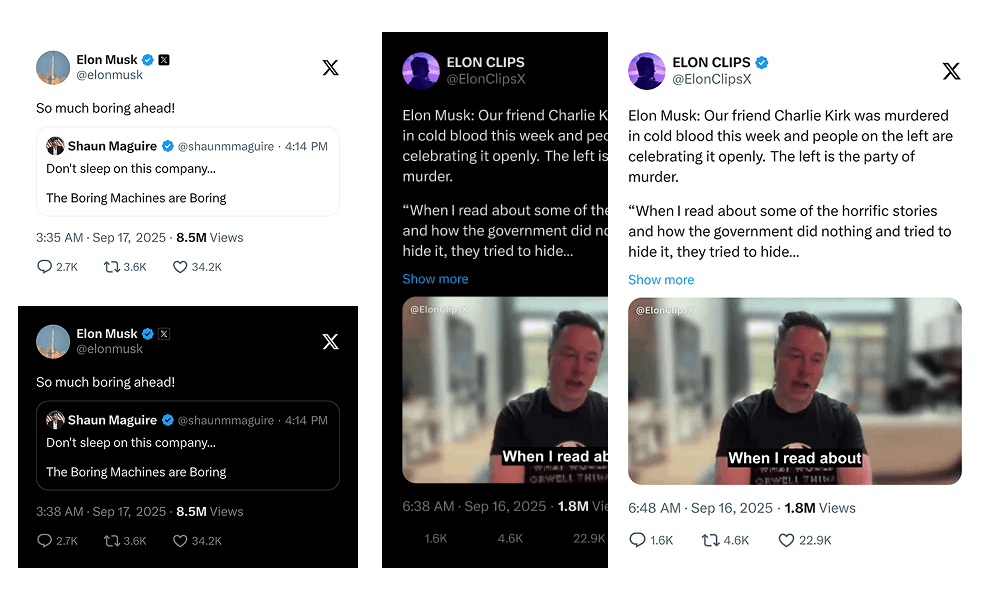
TwitterShots API screenshot output examples

Which tool should you choose?

TwitterShots

Best when the screenshot needs branding, repeatability, export options, or a place in a wider publishing workflow.

Pikaso

Best when its current lightweight workflow already gives you the one-off screenshot you need.

FAQ

Questions before you switch.

What is the best Pikaso alternative for X screenshots?

TwitterShots is a practical Pikaso alternative when you need screenshots as part of a repeatable workflow. It supports branded output, threads, batch creation, API access, and integrations alongside regular X post screenshots.

What is the difference between TwitterShots and Pikaso?

TwitterShots focuses on both one-off X screenshots and repeatable publishing workflows. It includes thread exports, bulk creation, brand controls, multiple output formats, and API or no-code automation options.

Does TwitterShots support X threads and bulk screenshots?

Yes. TwitterShots can split X threads into shareable images, export threads to PDF, and create screenshots for up to 30 public posts in one batch.

Can I automate screenshots with an API or no-code tool?

Yes. TwitterShots offers an API with PNG, SVG, and HTML output, plus public integrations for Zapier, n8n, and Make.

Is there a free way to try TwitterShots?

Yes. Start by creating a screenshot for free, then add a paid plan only if your workflow needs more automation, branding, or volume.

How was this comparison tested?

The page records publicly documented capabilities and a hands-on TwitterShots workflow. Competitor capabilities are not inferred when a current public source cannot confirm them.

Last reviewed August 2026. Competitor claims are linked or left unconfirmed.

Start with one screenshot. Scale only when you need to.

Try the free generator, then add threads, batch workflows, branding, or automation when your work calls for it.

Create a free screenshot