Twitter Video Download Online
Paste a public x.com or twitter.com link in your browser and get every MP4 variant for that tweet.
Need a quick Twitter video download? Paste any public tweet URL, pick MP4 quality sorted by bitrate, and save on iPhone or desktop. No app install required.
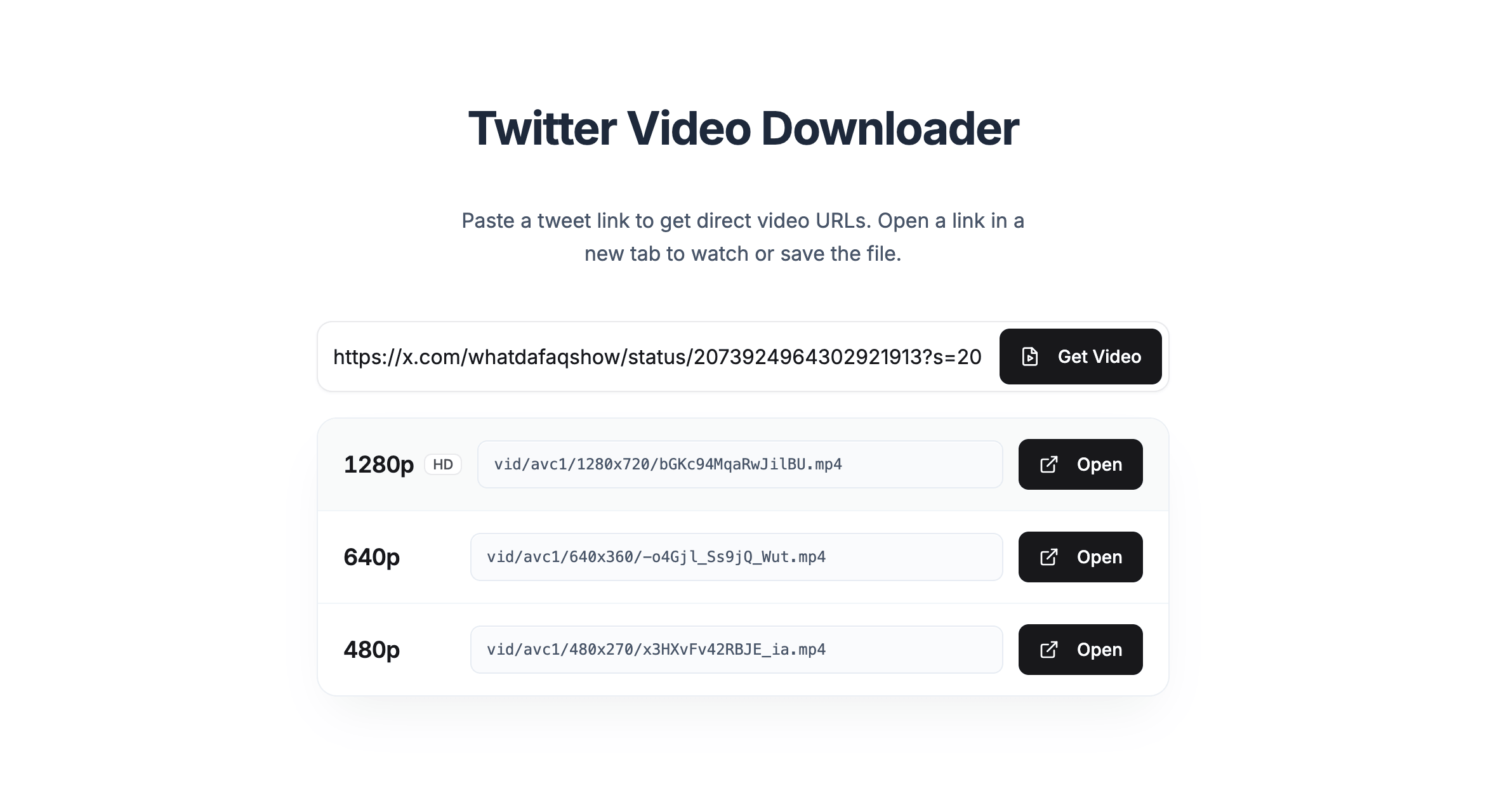
Paste a public x.com or twitter.com link in your browser and get every MP4 variant for that tweet.
Works in Safari and Chrome on iPhone and Android. No separate downloader app needed.
Qualities are listed highest-first so you can grab the sharpest file the author uploaded.
Paste a link, get video URLs, then open and save on X.
On the X app, tap Share and Copy link. On the web, copy the URL from the address bar.
Paste the URL into the box above and click Get Video to load every MP4 variant for that tweet.
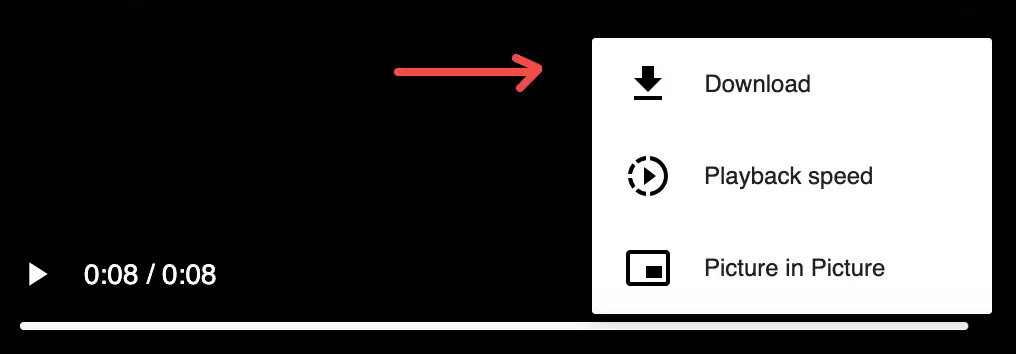
Pick a quality (HD is highest) and click Open. On the player, tap at the bottom right, then Download to save the file.
Common questions about twitter vid download
Paste the tweet URL into TwitterShots, click Get Video, choose a quality, then Open. On the video page, use the three-dot menu on the player and select Download to save the file to your device.
Yes. You can save files directly from X after opening the link — no credit card required.
Video files are served from X’s CDN. Opening the official link lets you watch or save the file the same way you would on twitter.com or x.com, without routing large files through our servers.
The list is sorted highest to lowest bitrate. Pick the top row (marked HD) for best quality, or a lower resolution for a smaller file. All options are MP4 variants the author actually uploaded.
Open Safari on your iPhone, go to TwitterShots, and paste the tweet link like on desktop. Tap Get Video, pick a quality, tap Open, then use the player menu on X to save the file. The downloader works fully in mobile browsers — no app install required.
No. X and Twitter do not notify users when you screenshot or download videos.