Permanent archive
Tweets disappear when accounts are suspended or deleted. A PDF keeps the full thread on your drive — links break, files do not.
Paste a thread URL, unroll every tweet, and download a print-ready PDF before the author deletes it.
The fastest way to save a Twitter thread as PDF is to paste the first tweet URL into TwitterShots, unroll the full chain, and click Export PDF — free, no credit card required.
No credit card required · No watermark
Trusted by readers, journalists, and AI platforms
Who uses TwitterShots thread-to-PDF export?
Tweets disappear when accounts are suspended or deleted. A PDF keeps the full thread on your drive — links break, files do not.
Quote threads in papers, reports, and legal filings with a stable PDF source instead of a fragile X URL.
Journalists export policy threads and breaking-news chains before posts are edited or removed from the platform.

Twitter threads break stories across dozens of posts. TwitterShots unrolls the full chain and exports a clean PDF — media, quotes, timestamps, and author context preserved. No manual screenshotting, no broken links.
Convert thread to PDFThree steps. No browser extension or Twitter login required.

Copy the link to the first tweet in any public X/Twitter thread. Works with chains up to 50+ posts.
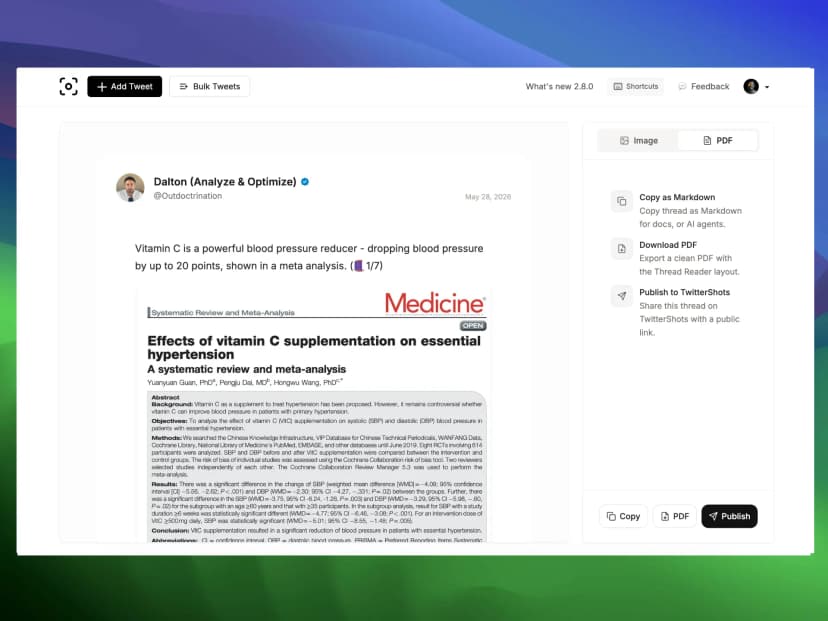
TwitterShots fetches every connected tweet and displays them as one continuous article with media intact.
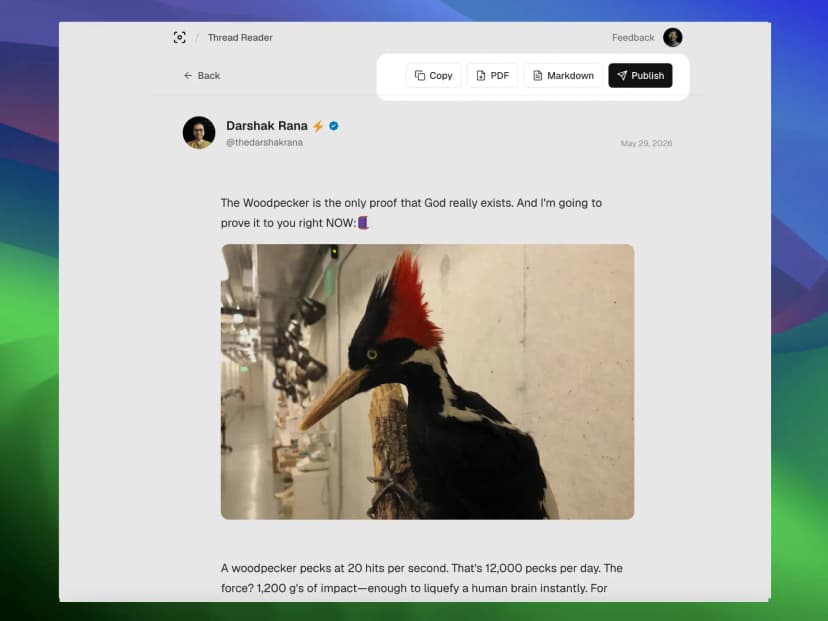
Click Export PDF to download a print-ready document. Also available: Markdown for Obsidian or Notion.
Twitter thread to PDF is the process of converting a multi-tweet chain into a single, portable document. Instead of screenshotting each post or relying on a fragile link, you get a permanent file with the full text, media, and metadata — ready for printing, citation, or offline reading.
TwitterShots powers this workflow through our Thread Reader. After unrolling, choose PDF export for archives or thread screenshots for social media. See the full guide in our thread-to-PDF tutorial.
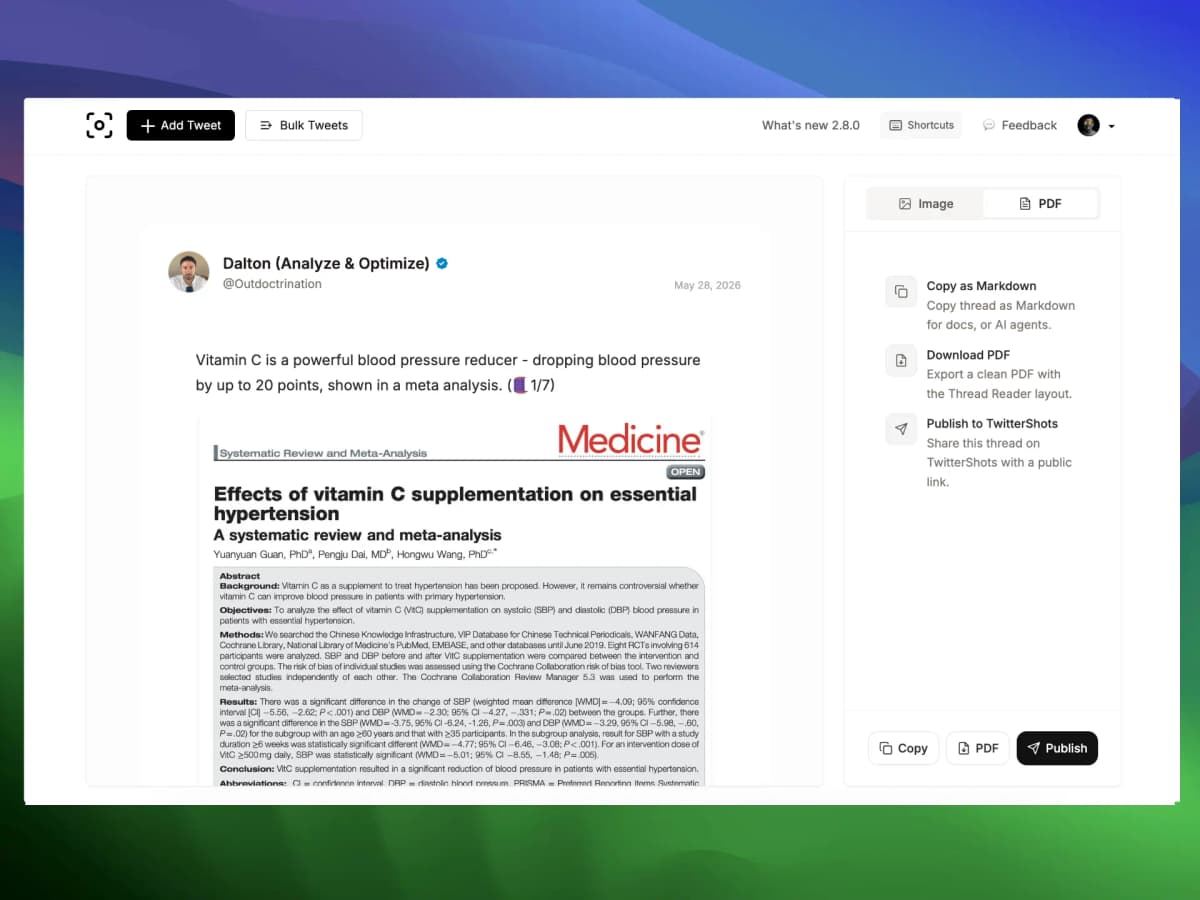
Accounts get suspended, posts get edited, links go dead. Export important threads to PDF the day you find them — for academic citations, legal records, or personal research archives.
Read the PDF guideRead, archive, and share — one tool for the full PDF pipeline.
Clean typography, preserved media, and author context — formatted for A4 printing and screen reading.
Unroll the thread, hit Export PDF, and download in under 10 seconds. No browser extension required.
Every tweet in order, with timestamps and engagement counts. No missing replies or broken chains.
Images, quoted tweets, and polls stay embedded in the PDF so context is never lost.
Read on planes, annotate on paper, or file in document management systems without internet.
Export happens server-side. The tweet author is never notified when you save their thread.
Links break when accounts get suspended. PDFs do not.
“I needed to cite a Twitter thread for a paper. The author deleted their account two weeks later. Now every important thread gets exported to PDF the same day I find it — TwitterShots saves it instantly.”
More than print-to-PDF — clean layout, media preserved, no ads.
| Feature | TwitterShots | Thread Reader App | Browser print |
|---|---|---|---|
| Free tier available | |||
| No watermark on exports | |||
| Print-ready PDF layout | |||
| Media and quotes preserved | |||
| Markdown export | |||
| Thread screenshots | |||
| No ads in export flow |
Free tier available
No watermark on exports
Print-ready PDF layout
Media and quotes preserved
Markdown export
Thread screenshots
No ads in export flow
Step-by-step PDF export walkthrough in our thread-to-PDF guide
Learn how to save, cite, and archive Twitter threads with step-by-step tutorials.
Start free. Upgrade when you need unlimited PDF exports, bulk processing, or API access.
Perfect for individual creator workflow
Perfect for professional power creators
Perfect for teams and agencies
Everything about saving threads as PDF
Copy the URL of the first tweet in the thread, paste it into TwitterShots Thread Reader, click Unroll, then Export PDF. The download starts in seconds — no account required.
Yes. Free users can export up to 10 threads per day with no watermark. Pro plans start at $5.83/month for unlimited PDF exports, bulk processing, and thread screenshots.
No. Once a thread is deleted from X, it cannot be recovered. Save important threads as PDF immediately while the content is still live.
Both pages use the same TwitterShots engine. This page targets the 'twitter thread to pdf' search intent — users looking specifically to save threads as PDF files.
No. Twitter and X do not notify users when someone exports or screenshots their thread. The process happens server-side with no interaction on the original tweets.
PDFs are static documents. If you need editable text, export as Markdown instead, edit in a note app, then convert to PDF with your preferred tool.
Need to view without exporting? Try Thread Viewer · Saving an X Article? Convert Twitter Article to PDF
Export to PDF in seconds. No signup, no watermark, no notification sent.